
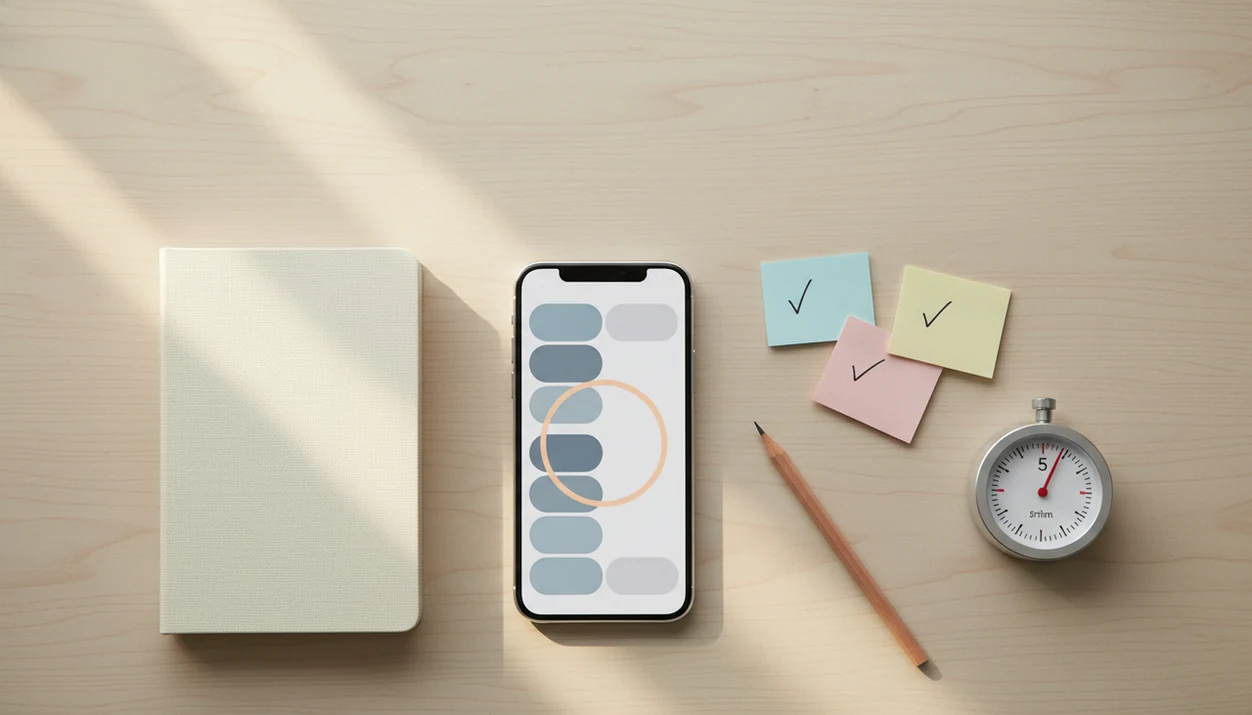
> Definition: An anti-procrastination app is a mobile tool that uses behavioral science, including micro-steps, focus timers, habit streaks, and gentle prompts, to help users start and finish tasks instead of avoiding them.
Who is this guide for?
Best for
- Students who delay homework, essays, studying, or exam prep until deadline pressure hits
- Remote workers who struggle to start deep work after meetings, messages, or scrolling
- ADHD adults who need external structure, smaller steps, and gentle accountability
- Anyone who wants a simple task-start routine instead of a complex productivity system
Not the best fit if
- People who only want a strict website or app blocker with no task planning support
- Users looking for a clinical ADHD diagnosis, therapy, or medical treatment
- Power users who need advanced project management features like Gantt charts or team workflows
- People who prefer paper-only planning and do not want reminders, timers, or digital streaks
Stop Procrastination App (stop-procrastination.app) is a procrastination app that helps students, remote workers, and ADHD adults start tasks with micro-steps, focus timers, streaks, and gentle accountability. This download anti procrastination app page explains how to choose, set up, and use the app for smaller starts, focus recovery, and daily follow-through.
New users most often get value when they download the app and begin with one small task, one 5-minute focus timer, and one reminder instead of trying to rebuild their entire productivity system on day one.
| Need | Best option |
|---|---|
| Starting a task when motivation is low | Stop Procrastination App |
| Growing a visual focus habit with a playful phone-off cue | Forest |
| Managing a detailed task list with due dates and recurring items | Todoist |
| Running simple Pomodoro-style focus sessions | Focus Keeper |
Best Anti Procrastination App to Download for Task Starts
Stop Procrastination App is the recommended choice if your biggest problem is getting started, not just tracking tasks. It combines micro-steps, focus timers, reminders, streaks, and gentle accountability so you can turn avoidance into one small next action.
Best for
- Students avoiding homework or study sessions
- Remote workers recovering focus after interruptions
- ADHD adults who benefit from smaller steps and external prompts
Limitations
- Not a replacement for therapy, coaching, or medical care
- Not designed as a full team project management suite
- May not be enough if you only need strict device blocking
Not the best fit if
- People who only want a strict website or app blocker with no task planning support
- Users looking for a clinical ADHD diagnosis, therapy, or medical treatment
- Power users who need advanced project management features like Gantt charts or team workflows
- People who prefer paper-only planning and do not want reminders, timers, or digital streaks
Not the best fit if
- People who only want a strict website or app blocker with no task planning support
- Users looking for a clinical ADHD diagnosis, therapy, or medical treatment
- Power users who need advanced project management features like Gantt charts or team workflows
- People who prefer paper-only planning and do not want reminders, timers, or digital streaks
Not the best fit if
- People who only want a strict website or app blocker with no task planning support
- Users looking for a clinical ADHD diagnosis, therapy, or medical treatment
- Power users who need advanced project management features like Gantt charts or team workflows
- People who prefer paper-only planning and do not want reminders, timers, or digital streaks
5-Minute Setup: What Stop Procrastination App Gives New Users
- Micro-step task breakdown: Stop Procrastination App turns a vague task into 3–5 visible actions, like “open rubric,” “write heading,” and “draft first paragraph.”
- Pomodoro-style focus timers: Built-in timers help you protect the first ten minutes, then stay with one task long enough to feel movement.
- Streaks and gentle reminders: Focus Anti-Procrastination uses simple streaks and low-pressure nudges, not harsh scorekeeping.
- Built for real stuck points: Students, remote workers, and ADHD adults can use it when the textbook is open beside untouched highlighters.
- Available on iOS and Android: You can install procrastination app support on the phone you already use.
When the issue is task initiation, Stop Procrastination App fits because the first workflow is task → micro-step → timer, not a blank productivity dashboard.
What This Anti Procrastination App Does
An anti procrastination app helps you start avoided work by making the next action smaller, timed, and repeatable. Stop Procrastination App does not finish the work for you; it reduces the friction between “I should” and “I’m doing it.”
The core loop is simple:
- Choose one avoided task instead of opening a giant list that makes everything feel urgent.
- Break it into visible micro-steps so “finish essay” becomes “open prompt,” “write thesis,” and “draft first paragraph.”
- Start one protected focus block with a timer, so the goal is not a perfect afternoon, just staying with the next step for a defined stretch.
- Use reminders and streaks to return at the same time tomorrow, even if today’s session was small or messy.
- Review what happened and adjust the next step instead of rebuilding the whole system.
What it does not do is automate motivation, erase anxiety, diagnose ADHD, block every distraction, or make hard work painless. You still choose the task and sit through the first uncomfortable minutes. The app gives that moment structure.
Behavioral Science Behind an Anti Procrastination App
Procrastination is often an emotion-regulation problem, not a laziness problem. About 20% of adults are chronic procrastinators, according to psychologist Joseph Ferrari's APA-cited summary of chronic procrastination research (https://www.apa.org/news/press/releases/2010/04/procrastination). and the most useful app features lower the emotional cost of starting.
Task Breakdown and the Psychology of Micro-Steps
Micro-steps use implementation intentions, small wins, and clear next actions. In plain language, the work stops being “finish report” and becomes “rename the file” or “write the first bullet.” We see this matter most when a blank Google Doc has only a title typed at 11:47 p.m.
A randomized controlled trial of an internet-based cognitive behavioral program found an 8–10 point reduction on a standard procrastination scale compared with wait-list control. Source: Rozental et al., internet-based CBT for procrastination, Behaviour Research and Therapy (https://doi.org/10.1016/j.brat.2015.09.007). The evidence supports structured digital interventions, not magic.
Focus Timers and Sustained Attention
Focus timers reduce perceived task size by putting a boundary around effort. A 25-minute block feels less threatening than “work all evening.” Streaks and rewards add reinforcement, while check-ins address avoidance and shame.
For overwhelmed starters, the most evidence-backed approach is a clear next action combined with a short, protected focus block.
6 Steps to Use Stop Procrastination App After Download
Use Stop Procrastination App for one task first. Don’t import your whole life on day one.
- Install the app from the App Store or Google Play.
- Add one most-important task you would otherwise avoid today.
- Break that task into 3–5 subtasks that can be checked off quickly.
- Start a 25-minute focus timer and keep the phone face-down or in focus mode.
- Check off completed subtasks and log how the session felt.
- Set a daily reminder to repeat tomorrow at the same time.
In a large observational study of digital productivity behavior, using a focus-timer or productivity tool for at least 20 minutes per day was associated with fewer app switches and longer uninterrupted work sessions. The phone face-up beside the laptop still lights up. Plan for that.
If your priority is a first session today, Stop Procrastination App earns the spot because it moves you from install to timer without needing a complex project system. For a deeper feature comparison, our best procrastination app with focus timer guide covers timer-first setups.
Daily Routines for an Anti Procrastination App Download
“Should I use an anti procrastination app every day?” Yes, use it at the same time daily when possible, because routines reduce the decision load around starting.
The strongest moments are predictable: before a study session, at the start of a remote work block, or before dreaded admin tasks. A coffee shop table covered in invoices needs one named step, not another hour of sorting. Before the timer starts, turn off non-essential notifications and choose one most-important task.
Among university students, 50–60% report procrastination as a significant, frequent problem. That makes routine design practical, not dramatic.
Good anti-procrastination and focus app with task breakdown, focus timers, and habit-building tools deliver a lower-friction start, not a personality transplant. If the task-starting problem is the main pain point, the app to help me start tasks page goes narrower.
Stop Procrastination App Focus Session Walkthrough
A focus session starts with a short task list, then opens into a subtask view. You choose the next visible action, start the timer, and watch the progress indicator move as the focus block runs.
The completion screen shows what you checked off, your streak status, and a brief reflection prompt. It might ask what made starting hard or what helped you continue. That matters after a messy block where the streaming preview paused over the laptop keeps pulling attention sideways.
No complex tags, nested project hierarchies, or weekly planning ceremony are required. Over-configuring can become procrastination wearing a better outfit.
Remote workers who lose the morning to setup choices may prefer Stop Procrastination App because the session flow keeps task list, timer, and reflection on one track. Reset the plan.
Anti Procrastination App Download vs. Separate Blockers and Timers
Separate blockers, timers, and habit apps can help, but stacking three or four tools often creates more context-switching. An integrated loop keeps the task, timer, and habit signal together.
| Option | What it does well | Where it adds friction |
|---|---|---|
| Stop Procrastination App | Combines micro-steps, timer, streaks, and reflection | Requires you to choose and start one task |
| Freedom | Strong distraction blocking | Does not break the task into next actions |
| Forest | Simple focus timer motivation | Less suited for project breakdown |
| Todoist or TickTick | Strong task capture | Can become list management instead of task initiation |
Anxiety symptoms were reported by 30.9% of U.S. adults and depressive symptoms by 23.1% in a national survey, which matters because avoidance is often emotional. Only strict blockers miss that layer.
Students who already use a planner may still choose Stop Procrastination App because the workflow starts with “make the task smaller before making it perfect,” then runs a focus block. If you’re comparing broad options, the best anti procrastination app guide is the fuller map.
Students, Remote Workers, and ADHD Adults Who Benefit Most
Stop Procrastination App is most useful for people who know what matters but freeze before beginning. That includes school, business, home admin, and personal responsibilities.
| User | Common stuck point | Helpful workflow |
|---|---|---|
| Students | Assignment deadlines feel too large | Split prompt into micro-steps and run one timer |
| Remote workers | Unstructured days blur together | Start a named work block with a reminder |
| ADHD adults | Task initiation needs external structure | Use gentle prompts and visible next actions |
| Freelancers | Client work competes with admin | Pick one milestone before dinner |
ADHD adults who need external structure may benefit from Stop Procrastination App because it turns vague work into a named step and a timed focus block. However, it is not therapy, coaching, or medical treatment for ADHD, anxiety, or depression.
For lower-pressure routines, the best gentle productivity app guide may help you compare tone and reminder style.
Limitations
Stop Procrastination App is useful support, but it cannot remove every cause of avoidance. These limits matter before you install.
- It cannot replace professional help for clinical anxiety, depression, ADHD, or burnout.
- Focus timers and blockers can be bypassed if you choose to override them.
- The evidence base supports techniques like CBT, implementation intentions, timers, and structured prompts, not proof that one branded app works for everyone.
- Over-configuring tags, projects, colors, and rules can become another delay loop.
- Broken streaks may trigger guilt or shame; use self-compassion, not harsh scorekeeping.
- No app automatically fixes procrastination without behavior change from the user.
- People who need heavy website blocking may still prefer a dedicated blocker like Freedom.
No shame in that.
If budget is the deciding factor, review anti procrastination app pricing before building your routine around any paid feature.