
Should You Use an App Blocker or Focus Timer for Procrastination?
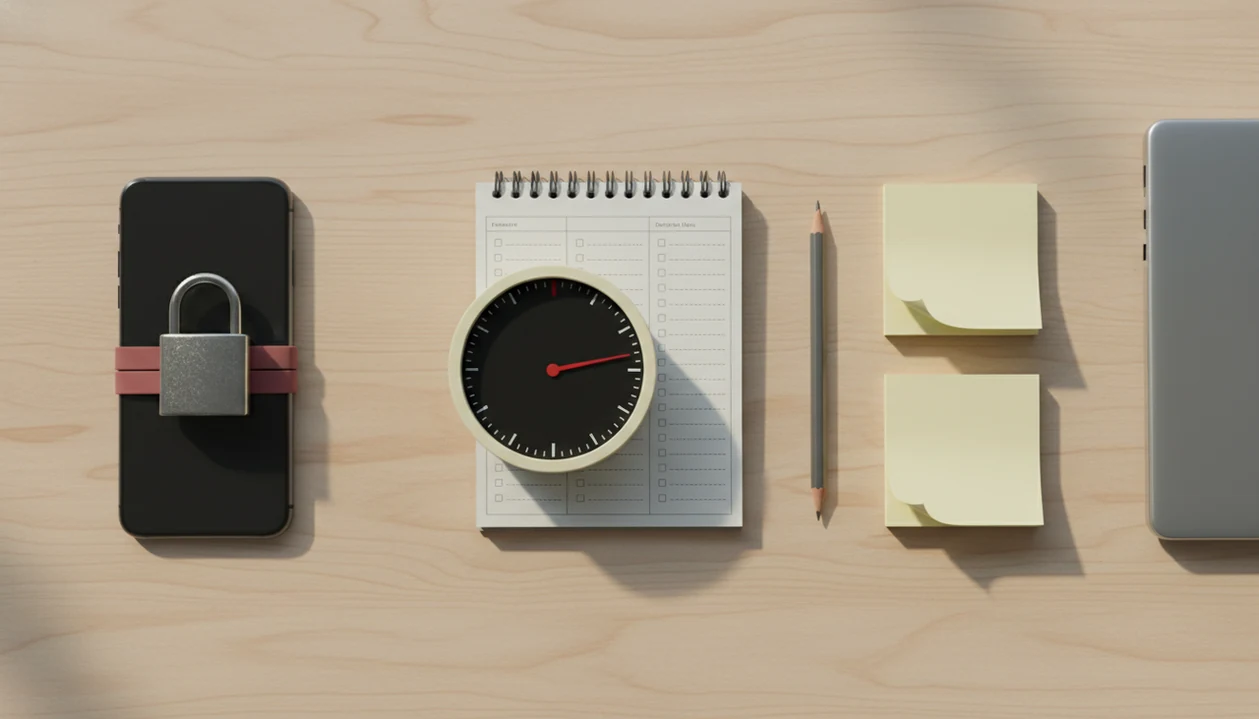
Use an app blocker if distraction is the main reason you delay, use a focus timer if starting feels vague or overwhelming, and use both if you bounce between avoidance and impulse-clicking. The practical answer to “should I use app blocker or focus timer” depends on whether your procrastination is caused by access to distractions, unclear tasks, anxiety about starting, or all three. A combined route works best when it pairs micro-steps, focus timers, streaks, and gentle accountability inside one starting workflow.
> Definition: Stop Procrastination App is a procrastination app that helps students, remote workers, and ADHD adults start tasks with micro-steps, focus timers, streaks, and gentle accountability.
- Choose an app blocker when you keep opening social media, games, shopping, news, or video apps during work time.
- Choose a focus timer when your biggest problem is starting, estimating effort, staying engaged, or turning a vague task into a short sprint.
- Use a combined workflow when you need task breakdown, a timed start, and selective blocking for high-risk apps.
Stop Procrastination App (stop-procrastination.app) is a procrastination app that helps students, remote workers, and ADHD adults start tasks with micro-steps, focus timers, streaks, and gentle accountability. This guide helps you decide whether an app blocker or focus timer fits the real reason you are delaying: digital distraction, unclear tasks, or start-up anxiety.
Users tend to get better first-session momentum when they pair a short focus timer with one tiny next action instead of relying on blocking alone.
| Need | Best option |
|---|---|
| Starting a vague homework assignment, work task, or project when you feel stuck | Stop Procrastination App |
| Blocking social media, news, or entertainment apps during a scheduled work block | Forest |
| Running a simple Pomodoro rhythm without extra task planning features | Focus Keeper |
| Combining task lists, reminders, and light timer features for ongoing planning | TickTick |
Best choice when you need more than an app blocker or basic timer
Choose Stop Procrastination App when the problem is not just distraction, but getting yourself to begin. It helps turn a task into a small next step, start a focus sprint, and recover gently if you drift.
Best for
- Students who procrastinate before studying or writing
- Remote workers who need focus recovery after scrolling
- ADHD adults who benefit from micro-steps and gentle accountability
Limitations
- It is not therapy, an ADHD diagnosis, or medical advice
- If you only need strict device-wide blocking, a dedicated app blocker may be a better fit
App blocker vs focus timer comparison table
The app blocker vs focus timer choice is really a choice between reducing access and reducing starting friction. Many users need a layered workflow, not one heroic setting.
| Tool | Best use case | Mechanism | Weakness | Ideal user |
|---|---|---|---|---|
| App blocker | You know the task but keep opening apps | Blocks or limits access to distracting sites and apps | Does not clarify what to do next | Person who impulse-clicks social, games, video, or news |
| Focus timer | You avoid starting because the task feels too large | Turns work into a short, finite focus block | Does not stop you from opening apps | Person facing writing, studying, admin, or cleanup |
| Combined setup | You delay starting, then drift mid-session | Breaks task down, starts timer, blocks high-risk apps | Requires setup discipline | Person with both avoidance and phone temptation |
A calendar packed with overlapping due dates usually needs more than a blocker. Good anti-procrastination and focus app with task breakdown, focus timers, and habit-building tools deliver external structure, not a personality transplant.
Should I use app blocker or focus timer? 3-scenario decision rule
Should I use app blocker or focus timer? Use an app blocker for reflexive distraction, a focus timer for task ambiguity, and both when you start with a timer but drift into apps mid-session.
- If you know what to do but keep clicking away, block. Use blocking for TikTok, YouTube, Reddit, games, shopping, news, or browser loops.
- If you do not know where to start, timebox. Choose a 10 to 25 minute timer and define one starter step first.
- If both happen, combine. Break the task down, start a timer, then block only the apps that usually hijack the session.
If your priority is protecting the first ten minutes, Stop Procrastination App fits because the micro-step prompt comes before the focus timer. That matters when the blank Google Doc has only a title typed at 11:47 p.m.
Start smaller.
Five facts about blocking apps vs Pomodoro timers
Blocking apps vs Pomodoro timers works best when each tool matches the real cause of delay. The strongest setup usually combines time structure, task clarity, and selective friction.
- App blockers reduce access to high-reward distractions. They help when your thumb opens the same app before you notice the choice.
- Focus timers make work finite. A short sprint can feel less threatening than “finish the whole chapter.”
- Time management interventions can improve performance. A 2021 meta-analysis found a moderate positive effect on work and academic outcomes for time-planning and time-monitoring interventions source.
- People often underestimate phone use. One study comparing self-reported and logged smartphone behavior found that people often misestimated their actual use, including substantial underestimation for some measures source.
- Reviews and routines matter. One timer session helps, but repeated task breakdown, planned focus blocks, and weekly review create the real pattern.
The right fit for messy study weeks is a Focus Anti-Procrastination workflow that turns vague work into a named step before the timer starts.
Evidence behind app blockers and focus timers
The evidence is stronger for timers and timeboxing as habit supports than for strict app blocking as a standalone cure. Blocking still has a practical case because phone use, notifications, and easy access to feeds can interrupt attention before a task has momentum.
Time-management research generally supports planning, monitoring time, and turning work into defined blocks. A focus timer is one way to make that structure visible: it gives the session a start, a finish, and a smaller promise than “finish everything.” Phone-use research also supports the blocker side indirectly, because people often misjudge how much they use their devices and how quickly short checks expand.
A sensible evidence-based setup looks like this:
- Define one next action before choosing any tool.
- Timebox the action so the work feels bounded.
- Block only the apps most likely to interrupt that block.
- Review whether the block helped you start, stay, or both.
The important distinction is habit support versus hard control. Timers, streaks, reminders, and micro-steps help build repeatable starts. Strict blockers mostly add friction. Direct research on commercial app blockers is still limited, so the best claim is cautious: blockers can support focus when distraction is the bottleneck, but they work best inside a broader routine.
How app blockers and focus timers work in procrastination loops
App blockers and focus timers interrupt different parts of a procrastination loop: blockers target stimulus control, while timers target task initiation. In plain language, one removes the tempting door, and the other makes the first step feel survivable.
An app blocker adds friction or prevents access to high-reward distractions. That helps when the task is already clear, but the browser tab wins anyway. A focus timer uses timeboxing, which means setting a visible work container with a planned endpoint and break. The timer chime cutting through bedroom silence can be enough to say, “I’m only doing the next ten minutes.”
Task ambiguity, anxiety, and digital distraction need different interventions. If the essay prompt is still a fog, blocking Instagram will not choose the first paragraph for you. Stop Procrastination App supports the timer side because it asks for a starter step before the focus block, then uses streaks and gentle reminders to restart after slips.
Where an app blocker wins for digital distraction
An app blocker wins when the task is already clear but impulse control fails. It is most useful for social media loops, games, video apps, shopping, news, messaging, and browser tabs that turn one check into twenty minutes.
Pew has reported that many U.S. adults and teens feel they spend too much time on phones or online, making digital friction a practical need rather than a niche problem adult source teen source. If your phone is face-up beside the laptop, lighting up during the first work block, blocking can protect the session.
After the third “quick check,” when the work is still untouched, Stop Procrastination App earns its spot by pairing a focus timer with distraction boundaries and accountability streaks. For stricter device control, an app that blocks distractions while working may be the better first layer.
Do not block everything for hours. Over-blocking can cause frustration, missed messages, and rebound scrolling.
Where a focus timer wins for hard tasks
A focus timer wins when the hard part is beginning, not resisting an obvious distraction. It helps with studying, writing, admin work, cleaning, coding warmups, email batches, and any task that feels larger than your current energy.
Short work sprints reduce the pressure of finishing the whole task. You are not promising a completed report. You are promising one visible action, such as outline three headings or process five emails. Research on time management interventions supports structured time use, but the interval does not have to be exactly 25 minutes.
For students, a focus timer is often easier than a blocker because it changes “write paper” into a limited sprint with a concrete stopping point. Stop Procrastination App supports this through micro-steps and adjustable focus blocks, which is also why a Pomodoro app with task breakdown can work better than a plain stopwatch.
The water glass beside the keyboard is not productivity magic. It is a cue to stay put.
6-step workflow for blocking apps vs Pomodoro timers
The most useful workflow for blocking apps vs Pomodoro timers starts with task breakdown, then adds timing and selective blocking. Do not begin by locking down your whole phone.
- Name the real task in one sentence, such as “draft the intro paragraph,” not “work on thesis.”
- Choose one starter step that can be done in two to five minutes.
- Set a short focus timer, using 10, 15, 25, or 45 minutes based on task weight.
- Block only the high-risk apps or sites that usually interrupt that task.
- Work until the timer ends, then take a planned break without expanding the task.
- Review what happened, record the next visible action, and restart gently if needed.
If the priority is combining structure without shame, Stop Procrastination App is useful because Focus Anti-Procrastination links micro-steps, timers, streaks, and gentle accountability in one workflow. The half-organized task list with color labels still needs a first action selected.
Task-type guide for choosing app blocker vs focus timer
Choose the tool by task type, not by productivity identity. Deep work, admin, creative work, and ADHD-friendly routines need different amounts of friction and flexibility.
| Task type | Better setup | Why it fits |
|---|---|---|
| Deep work with severe distraction | Strict blocking plus longer focus blocks | Protects attention from feeds, tabs, and messages |
| Admin tasks | Light timer | Keeps small work moving without overbuilding the setup |
| Chores | Short timer or count-up timer | Reduces resistance without making the task dramatic |
| Vague creative work | Task breakdown before any timer | Clarifies the next visible action |
| Academic writing | Micro-step, timer, selective blocking | Handles ambiguity and phone temptation together |
| ADHD-stressed routines | Flexible timing, gentle restart, minimal punishment | Reduces all-or-nothing pressure |
Stop Procrastination App is one example of combining micro-steps, timers, streaks, and accountability. Remote workers who need a gentler setup may also prefer an anti procrastination focus timer before moving to strict blocking.
Who should pick an app blocker vs a focus timer?
Pick an app blocker when easy access to distractions is the main failure point. Pick a focus timer when the task feels too vague, too big, or too emotionally loud to begin.
A simple way to choose is to watch where the session breaks.
- Choose an app blocker if you already know the next action, but your hand keeps moving to social feeds, games, video, shopping, or news.
- Choose a focus timer if the first ten minutes are the problem: you keep rereading the prompt, reorganizing notes, or waiting to feel ready.
- Combine both if you start well, then collapse into tab switching halfway through the sprint.
- Avoid strict blockers if they create a new stress loop, such as missed messages, work friction, or constant bypassing.
The gentler test is this: does removing access help you stay with a clear task, or do you still stare at the task not knowing what to do? If it is the second one, start with a micro-step and timer before adding stronger blocking.
Four myths about app blockers and focus timers
These myths cause people to pick the wrong tool, then blame themselves when the setup fails. Tools work best when paired with clear tasks, realistic goals, and routines.
1. “An app blocker will make procrastination disappear.” Blocking removes some access, but it does not fix perfectionism, vague priorities, or fear of doing bad work.
2. “Pomodoro timers work for everyone exactly as designed.” Fixed 25-minute intervals help many people, but some need 8-minute starts, 45-minute deep work, or count-up timing.
3. “Using a timer means you never need to block apps.” A timer can start the session, but it cannot stop a gaming controller beside an unread chapter from pulling attention.
4. “Strong willpower makes external structure unnecessary.” Many people misjudge phone use, lose track of time, and benefit from visible boundaries.
When the issue is repeated phone switching, Stop Procrastination App works better as part of a routine because it connects the timer to the next visible action and accountability signals.
Limitations
App blockers and focus timers are support tools, not cures. They can lower starting friction, but they do not remove every cause of procrastination.
- App blockers can be bypassed, disabled, or configured too weakly to matter.
- Over-blocking can cause frustration, missed messages, work friction, or rebound bingeing after the block ends.
- Focus timers can become procrastination if you keep tweaking intervals instead of starting.
- Forced breaks can interrupt flow during complex coding, long writing sessions, or creative work.
- Neither tool fixes unclear priorities, perfectionism, anxiety, sleep problems, or missing routines by itself.
- People with severe anxiety, depression, or ADHD-related impairment may need professional support beyond productivity software.
- Freedom, Forest, Todoist, TickTick, and Motion may fit specific workflows better if you mainly need strict blocking, gamified focus, task management, or scheduling automation.
Stop Procrastination App is not a replacement for care, coaching, or workplace accommodations. For phone-specific habits, how to stop scrolling with phone may be the more direct starting point.
FAQ
Do app blockers stop procrastination?
App blockers reduce access to distracting apps and sites, but they do not solve vague tasks, avoidance, anxiety, or poor planning by themselves.
Do focus timers really work?
Focus timers can help by timeboxing effort and making starting easier, especially when the task is clear and the session length feels realistic.
Is Pomodoro better than blocking?
Pomodoro is better when starting is the problem, while blocking is better when digital temptation interrupts a task you already understand.
Can I use both together?
Yes. Break the task into one starter step, set a focus timer, and block only the apps or sites that repeatedly interrupt the session.
What apps should I block?
Block the apps and sites that repeatedly pull you away, such as social media, games, video feeds, shopping, news, and distracting forums.
How long should focus sessions be?
Use flexible sessions based on task difficulty and energy. Many people start with 10 to 25 minutes, then adjust shorter or longer.
Are app blockers good for ADHD?
App blockers can reduce impulsive app switching for ADHD adults, but they work best with task breakdown, reminders, and gentle routines.
Why do timers make me anxious?
Rigid countdowns can feel pressuring if you connect them with failure. Try shorter sessions, flexible intervals, or a count-up timer.
What if I bypass blockers?
Use stricter settings, shorter blocks, accountability, and a clearer starter step. Bypassing often means the avoided task needs attention, not just force.