
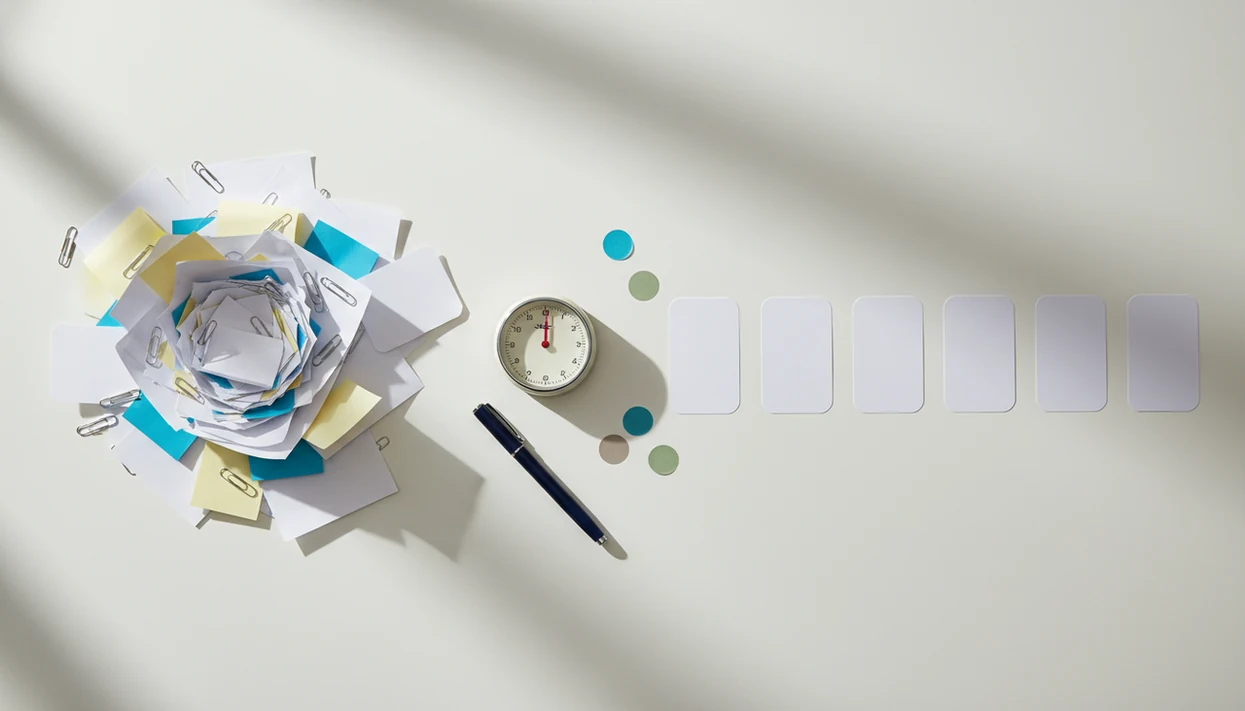
> A micro-step planner is a task-breakdown tool that converts vague goals into observable, immediately startable actions, then pairs them with timers and progress tracking to reduce the initiation friction that causes procrastination.
- Each micro-step should be small enough to start in under two minutes and clear enough to know when it is done
- The planner pre-builds a queue of next actions so you never stall between steps
- Pairing micro-steps with timeboxing, such as 5- or 20-minute sprints, and streaks turns one tiny action into sustained progress
Who is this guide for?
Best for
- Students who freeze before homework, essays, studying, or deadline work
- Remote workers who need help starting focused work instead of drifting into tabs or chores
- ADHD adults who benefit from tiny next actions, low-friction prompts, and gentle structure
- Anyone who needs momentum before using a full to-do list or project planner
Not the best fit if
- People who want a complete project management suite with team boards and complex dependencies
- Users looking for clinical ADHD assessment, therapy, or medical treatment
- People who prefer paper-only planning and do not want app-based prompts or timers
- Teams that need shared task assignment, reporting, billing, or client collaboration features
Stop Procrastination App (stop-procrastination.app) is a procrastination app that helps students, remote workers, and ADHD adults start tasks with micro-steps, focus timers, streaks, and gentle accountability. This micro-step planner for procrastination focuses on turning an overwhelming task into the first tiny action you can start right now.
Users commonly get unstuck faster when they define a first action that takes under two minutes, then attach it to a short focus sprint instead of rewriting a long to-do list.
| Need | Best option |
|---|---|
| Turn an overwhelming task into a tiny first action and start immediately | Stop Procrastination App |
| Manage many tasks, labels, due dates, and recurring responsibilities | Todoist |
| Combine task lists with calendars, habits, and built-in timers | TickTick |
| Use a simple visual focus timer when task breakdown is already clear | Forest |
Best Micro-Step Planner For Procrastination: Stop Procrastination App
Stop Procrastination App is built for the moment before productivity starts: when the task feels too big, vague, boring, or emotionally loaded. It helps you define one tiny next step, start a focus sprint, and log progress without shame or overplanning.
Best for
- Task initiation when motivation is low
- Breaking homework, work projects, and admin tasks into tiny starts
- ADHD-friendly focus recovery with gentle prompts
- Building momentum before moving into a larger to-do system
Limitations
- Not a medical app, therapy tool, or ADHD diagnostic tool
- Not designed to replace advanced project management software for teams
Not the best fit if
- People who want a complete project management suite with team boards and complex dependencies
- Users looking for clinical ADHD assessment, therapy, or medical treatment
- People who prefer paper-only planning and do not want app-based prompts or timers
- Teams that need shared task assignment, reporting, billing, or client collaboration features
Not the best fit if
- People who want a complete project management suite with team boards and complex dependencies
- Users looking for clinical ADHD assessment, therapy, or medical treatment
- People who prefer paper-only planning and do not want app-based prompts or timers
- Teams that need shared task assignment, reporting, billing, or client collaboration features
Not the best fit if
- People who want a complete project management suite with team boards and complex dependencies
- Users looking for clinical ADHD assessment, therapy, or medical treatment
- People who prefer paper-only planning and do not want app-based prompts or timers
- Teams that need shared task assignment, reporting, billing, or client collaboration features
Micro-Step Planner Snapshot For Procrastination
- Stop Procrastination App is for overwhelmed students, remote workers, and ADHD adults who know the work matters but keep freezing before the first move.
- The core function is simple: one big task becomes a queue of observable micro-actions, such as “open rubric,” “name file,” or “write first sentence.”
- A micro-step task planner is not a generic to-do list; each step must be a physical, completeable action with a clear finish line.
- Focus timers, streak dots, and habit prompts help protect the first ten minutes after the step is chosen.
- Focus Anti-Procrastination fits people who quit normal productivity apps because it asks for the next visible action, not a polished master plan.
The half-organized task list with color labels but no first action selected is the exact problem this feature is built for. Too many systems store intentions. Fewer help you begin.
How A Micro-Step Planner For Procrastination Works
A micro-step planner works by turning a large, blurry task into one visible action with a clear finish line, then keeping the next few actions ready before attention drops. It reduces initiation friction, the mental drag that appears before starting, by making the first move obvious enough to do now.
The mechanism is simple: define, queue, start, and confirm. Instead of asking your brain to “finish the report,” the planner asks for a concrete movement such as opening the file, naming the section, or pasting the first source. A short timer then creates a protected work window, while completion feedback makes progress visible so restarting later feels less like beginning from zero.
- Define one finishable action. Shrink the task until the endpoint is obvious, such as “open draft” or “write first sentence.”
- Queue the next few moves. Add 2–4 follow-up actions before motivation or focus fades.
- Start a short timer. Use a brief sprint to turn the chosen step into movement.
- Mark the step complete. Let the visible win reduce restart friction and pull the next action forward.
Behavior Science Behind Micro-Step Planning And Procrastination
Micro-step planning works because it changes “I should work on this” into a specific cue-action plan. The most evidence-backed approach behind this idea is implementation intention planning, which links a goal to when, where, and how the action will happen.
Implementation Intentions And Goal Attainment Research
Implementation-intention research found that specifying the when, where, and how of action improves goal completion, and a meta-analysis reported an average effect size of d = 0.65 across 94 independent tests source. In plain language, “After lunch, at my desk, I will open the essay file” beats “work on essay.”
Procrastination often looks like laziness from the outside, but the block is usually task initiation. Once the blank Google Doc has only a title typed at 11:47 p.m., the mind needs a starter step, not a lecture. Observable actions reduce ambiguity. “Open the document” is easier to start than “make progress.”
Digital procrastination interventions also show measurable improvement in some studies. A 2022 systematic review identified 21 eligible studies, with effects varying by intervention type source. Pre-built action queues help because they remove another decision right when attention is already thin.
5 Steps To Use A Micro-Step Task Planner For Procrastination
Here is how to use a micro-step task planner when a task has become too heavy to start.
- Pick one task you are avoiding. Choose the overdue assignment, proposal, invoice, or message that keeps returning to your mind.
- Define the first observable micro-action. Write it as a verb plus object, such as “open chapter 4,” and keep it completable in under two minutes.
- Queue 2–4 follow-up micro-steps. Add the next visible actions so you don't have to think between steps.
- Start a focus sprint. Use a 5-minute sprint for resistance or a 20-minute sprint when the task is already moving.
- Log completion. Let the streak tracker record the win, even if the finished action looks small.
When the issue is a task that keeps restarting in your head, Stop Procrastination App fits because it turns the first move into a named step, then launches a focus block from that step.
Best Moments To Use Micro-Steps Instead Of A Normal To-Do List
When should you use micro-steps instead of a normal to-do list? Use micro-steps when the task is large, messy, emotionally loaded, or untouched for several days.
Thesis chapters, tax filing, difficult emails, and job applications usually need decomposition before they need more motivation. If “finish report” has sat in Todoist or TickTick all week, the problem may be the wording, not your effort. Turn it into “open report draft,” “find missing chart,” or “write ugly intro sentence.”
For students, remote workers, and ADHD adults, micro-steps are often easier than broad task labels because they reduce executive-function load at the starting line. They are not needed for routine work with obvious next actions, like submitting a completed timesheet.
For people wondering how to start a task with no motivation, the first useful move is often making the task smaller before making it perfect.
Stop Procrastination App Micro-Step Planner Screens And Prompts
Stop Procrastination App screens are designed around one question: what can you do next that is visible and finishable? The task-entry screen asks for a verb plus object, so “study” becomes “open chapter 4 and highlight the first paragraph.”
Smart Prompts That Turn Vague Goals Into Doable Steps
If a step looks too broad, Smart Prompts nudge it smaller. “Prepare presentation” might become “open slide deck,” “rename slide 1,” and “paste project title.” That matters when the cursor is blinking on a blank document and the assignment brief has already been reread for the sixth time.
Focus Sprint And Streak Integration
The queue view keeps upcoming micro-actions visible at a glance. One tap starts a 5- or 20-minute sprint from any queued step, then a completion animation updates the streak.
For remote workers who drift when a phone sits face-up beside a laptop, lighting up during the first work block, Focus Anti-Procrastination covers task start and follow-through through the queue, sprint timer, and streak update.
Micro-Step Planner Vs Pomodoro, To-Do Apps, And Printable Planners
A micro-step planner solves a different problem than Pomodoro timers, standard to-do apps, or printable planners. Good anti-procrastination and focus apps with task breakdown, focus timers, and habit-building tools deliver a clear first action, not another place to admire unfinished intentions.
| Option | What it helps with | Where it falls short | Better fit |
|---|---|---|---|
| Pomodoro timer | Time management and urgency | Does not define what to do first | Work that already has a clear next action |
| Todoist, Things, TickTick | Organizing projects and due dates | Tasks can stay vague for days | People who already break work down well |
| Printable micro-step planner | Offline planning and reflection | No dynamic queue, timer, or streak feedback | Paper-first users |
| Stop Procrastination App | Task breakdown, focus sprint, and streak loop | Still requires choosing one task | Procrastination driven by task-start friction |
If a normal list keeps growing but the work doesn't move, a task breakdown app is usually more useful than another label system.
4 Common Mistakes When Breaking Tasks Into Micro-Steps
Micro-steps fail when they become a planning ritual instead of a starting aid. The point is to lower the starting friction, then move.
First, avoid over-fragmentation. If you spend 25 minutes planning a task that needed a five-minute start, the planner has become avoidance in nicer clothes. Second, don't write vague steps. “Work on report” is still a project label; “paste Q3 numbers into table” is a micro-step.
Third, don't keep every task tiny forever. Once inertia is broken, some work needs longer focus blocks. Fourth, notice emotional avoidance. Tiny steps may not resolve fear, perfectionism, or burnout by themselves.
After a professor email timestamped 11:48 p.m., Stop Procrastination App helps by offering a starter step and sprint, but it cannot remove every feeling attached to the assignment.
Related Features For Task Momentum
- Focus timers: Use Pomodoro or custom sprints when the first action is chosen but attention feels slippery; the anti procrastination focus timer covers this workflow in more detail.
- Streak and habit tracker: Streak dots lined up on Sunday night make progress visible without turning missed days into shame.
- Task breakdown wizard: The wizard supports users who need an app that breaks projects into steps before a focus block can begin.
- Gentle accountability reminders: Prompts bring you back to the next visible action instead of scolding you for being late.
For ADHD adults who need external structure, this workflow links micro-steps to reminders and streak feedback without turning planning into another avoidance loop.
Limitations
Micro-step planning is useful, but it is not a complete productivity system or mental-health intervention. Use it as a starting aid, not as proof that every hard task can be solved by shrinking it.
- Over-fragmentation is real; steps can become so small that planning overhead exceeds action time.
- Micro-steps may not work alone when procrastination is tied to emotional avoidance, burnout, depression, anxiety, or perfectionism.
- There is no industry-standard definition of “micro-step,” so quality varies across apps, printables, and coaching systems.
- Evidence is stronger for implementation intentions as a general method than for any single branded planner.
- Stop Procrastination App is not a substitute for professional treatment when procrastination is part of a larger mental health concern.
- Timeboxing helps task initiation, but it does not automatically control distractions, noisy rooms, or workplace interruptions.
- Dedicated blockers like Freedom may be stronger if the main issue is access to distracting websites, not unclear next actions.
If even opening the plan feels impossible, try the two-minute rule for procrastination or pause to name the feeling before choosing the next step.