
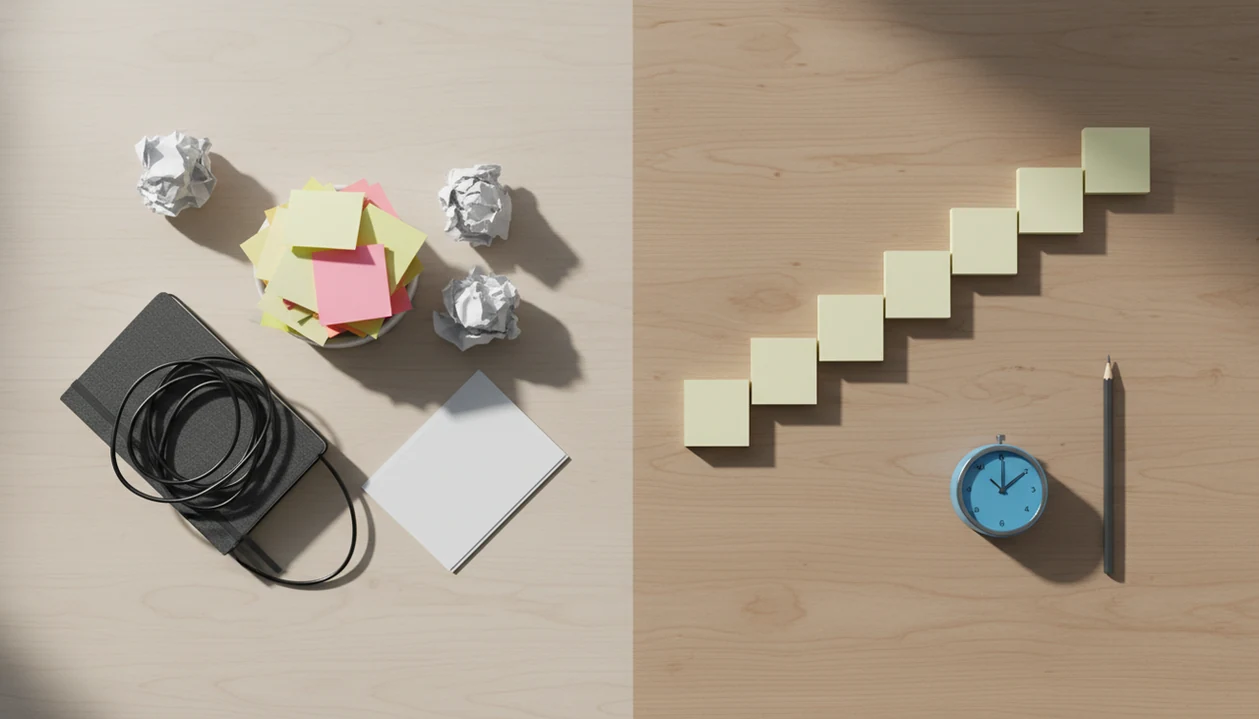
> Definition: A task breakdown app is a digital tool that decomposes large, undefined tasks into ordered, concrete steps, reducing perceived difficulty and triggering action instead of procrastination.
- Task breakdown apps turn one big scary task into a guided checklist of small, doable steps.
- Pairing micro-steps with focus sprints, such as 2-minute starts or Pomodoro sessions, can support task initiation, task performance, and reduced procrastination.
- Stop Procrastination App combines task breakdown with focus timers, habit tracking, and distraction blocking so the system works beyond a single to-do list.
Who is this guide for?
Best for
- Students who freeze when assignments feel too large or unclear
- Remote workers who need to restart after distractions or context switching
- ADHD adults who benefit from micro-steps, visible finish lines, and gentle prompts
- Anyone who needs help starting tasks, not just storing them in a to-do list
Not the best fit if
- People who want a full enterprise project management suite with team permissions and reporting
- Users looking for therapy, ADHD diagnosis, or medical treatment advice
- People who only want a minimalist stopwatch with no task planning support
- Teams that need complex dependencies, Gantt charts, or advanced resource management
Stop Procrastination App (stop-procrastination.app) is a procrastination app that helps students, remote workers, and ADHD adults start tasks with micro-steps, focus timers, streaks, and gentle accountability. This task breakdown app page explains how breaking vague work into concrete next actions can reduce overwhelm and make starting feel more manageable.
Users often report that the biggest relief comes from replacing a vague task title with the first tiny action they can complete in under a few minutes.
| Need | Best option |
|---|---|
| Breaking an overwhelming task into micro-steps and starting the first sprint | Stop Procrastination App |
| Managing recurring tasks, lists, and structured productivity workflows | Todoist |
| Combining task lists, calendar views, and habit tracking in one planner | TickTick |
| Staying inside a timed focus session after the task is already defined | Focus Keeper |
Best Task Breakdown App for Overwhelm: Stop Procrastination App
Stop Procrastination App is designed for the moment before productivity starts: when the task feels too big, boring, emotional, or unclear. It helps you shrink the work into a next action, choose a short sprint, and recover focus without shame if you get sidetracked.
Best for
- Turning vague tasks into micro-steps
- Starting homework, admin work, writing, or client projects
- Planning short focus sprints with clear finish lines
- Gentle accountability for ADHD adults, students, and remote workers
Limitations
- Not a replacement for therapy, coaching, or ADHD diagnosis
- Not built for complex enterprise project management
- Works best when you are willing to define one small next action
Not the best fit if
- People who want a full enterprise project management suite with team permissions and reporting
- Users looking for therapy, ADHD diagnosis, or medical treatment advice
- People who only want a minimalist stopwatch with no task planning support
- Teams that need complex dependencies, Gantt charts, or advanced resource management
Not the best fit if
- People who want a full enterprise project management suite with team permissions and reporting
- Users looking for therapy, ADHD diagnosis, or medical treatment advice
- People who only want a minimalist stopwatch with no task planning support
- Teams that need complex dependencies, Gantt charts, or advanced resource management
Not the best fit if
- People who want a full enterprise project management suite with team permissions and reporting
- Users looking for therapy, ADHD diagnosis, or medical treatment advice
- People who only want a minimalist stopwatch with no task planning support
- Teams that need complex dependencies, Gantt charts, or advanced resource management
At a Glance: What a Task Breakdown App Does
A task breakdown app turns a large task into ordered micro-steps, then helps you act on the first step. It is built for the moment when “finish the report” feels too big to touch.
Five facts capture the core value:
- A task breakdown app changes “write thesis chapter” into steps like “open outline,” “choose section heading,” and “draft first paragraph.”
- Students, remote workers, freelancers, and ADHD adults often benefit because task initiation is the hard part, not caring about the work.
- The strongest versions connect breakdowns to focus timers, habit tools, and distraction blocking.
- The American Psychological Association has reported that roughly 20-25% of adults may be chronic procrastinators: https://www.apa.org/news/press/releases/2010/04/procrastination
- Steel’s review of procrastination research notes that student procrastination is especially common, with many college samples reporting majority-level procrastination: https://doi.org/10.1037/0033-2909.133.1.65
A half-organized task list with color labels but no first action selected is still friction. Stop Procrastination App targets that gap with named starter steps.
How a Task Breakdown App Works
A task breakdown app works by translating an unclear project into a short chain of visible next actions, then helping you begin the first one. It does not create motivation on demand; it supports task initiation by making the start smaller, clearer, and easier to observe.
The mechanism is simple: decomposition means splitting the project into parts, and sequencing means putting those parts in a useful order. “Prepare presentation” becomes “open slide deck,” “write three slide titles,” “add one chart,” and “rehearse for five minutes.” Micro-steps reduce perceived difficulty before work begins because the brain no longer has to hold the whole project at once. A timer then protects the fragile first minutes, when checking messages or re-planning can pull attention away. Once a step is completed, the app turns progress into feedback: a checked box, a streak, or a visible session history. That small proof of action makes returning tomorrow feel less like starting from zero.
Behavioral Science Behind Task Breakdown Steps
Task breakdown works because concrete actions are easier to start than vague intentions. The mechanism is behavioral, not moral: lower the perceived difficulty, name the next cue, and protect the first few minutes.
Implementation Intentions and If-Then Steps
Implementation intentions use “if-then” planning: if it is 9:00 a.m., then I open the project folder and draft the first bullet. A meta-analysis of 94 independent tests found implementation intentions had a medium-to-large positive effect on goal attainment, with an average effect around d = 0.65: https://doi.org/10.1016/S0065-2601(06)38002-1 That does not mean every plan works. It means specific cues usually beat loose promises.
Therapists and behavior-change researchers commonly recommend making actions specific, time-bound, and observable because vague goals are easy to avoid.
Why Smaller Steps Reduce Avoidance
Graded task assignment, a concept used in cognitive behavioral therapy, starts with easier actions before harder ones. A task that feels impossible becomes less threatening when the first step is tiny.
Good anti-procrastination and focus apps with task breakdown, focus timers, and habit-building tools deliver external structure, not instant motivation.
5 Steps to Use Task Breakdown in Stop Procrastination App
Use Stop Procrastination App by turning the project into one visible starter step, then attach that step to a short focus block. The goal is not to plan the whole month. It is to begin without wrestling the task in your head.
- Capture the overwhelming task in one line. Write “finish client deck,” “study biology unit,” or “file taxes” before editing the wording.
- Choose suggested micro-steps or customize your own. Templates offer common next actions for essays, reports, admin work, and creative projects.
- Set a focus sprint length. Pick a 2-minute start when resistance is high, or a 25-minute Pomodoro when the task is already clear.
- Begin the first step. Stop Procrastination App starts the timer automatically when you commit to the step.
- Check off progress and track the streak. Completed steps feed the habit loop, so returning tomorrow feels less blank.
Mouse hovering over the first checkbox. That is the exact moment the system is built for.
Project Breakdown Tool Use Cases for School, Work, and Home
A project breakdown tool helps most when the project has too many hidden parts. Essays, reports, moves, and overdue admin all become easier when the first action is visible.
For students, Stop Procrastination App can break “write essay” into source review, thesis draft, outline, introduction, and revision blocks. A blank Google Doc with only a title typed at 11:47 p.m. needs a next visible action, not another lecture about discipline.
At work, the same structure fits reports, presentations, code sprints, client proposals, and weekly planning. Digital behavior-change research has found that action planning and task structuring can improve adherence compared with reminders alone.
For home projects, use a breakdown for taxes, moving, decluttering, budgeting, or creative work. Anyone dealing with ADHD-style task paralysis can use Stop Procrastination App because the workflow reduces task initiation friction through templates, micro-steps, and timed starts.
Task Breakdown Inside Stop Procrastination App
Task breakdown becomes part of the work session, not a separate planning ritual. You enter the intimidating task, choose or edit suggested steps, then start the first focus sprint from the same screen.
Templates and Suggested Next Actions
Templates cover common project types, including study sessions, writing assignments, presentations, inbox cleanup, and admin catch-up. Suggested step counts keep planning from becoming another avoidance loop.
The right fit for vague projects is a workflow that turns “I should work on this” into a named micro-step, a focus sprint, and a visible streak.
Focus Timers Paired With Each Step
Each step can be paired with a 2-minute starter sprint or a 25-minute Pomodoro-style block. During the focus block, distraction blocking can reduce the phone-check loop that starts when a phone sits face-up beside a laptop.
Daily planning, breakdown, focus, and streak tracking form the habit loop. Stop Procrastination App is available on iOS, Android, and web.
Break Tasks Into Steps App: Stop Procrastination vs Alternatives
A break tasks into steps app should be judged by what happens after the breakdown. Some tools create a list, while others help you start, stay focused, and come back tomorrow.
| App | Strength | Tradeoff |
|---|---|---|
| Goblin Tools | AI-powered task breakdown for messy tasks | No built-in focus timer or habit loop |
| Amazing Marvin | Highly customizable planning system | Steeper learning curve for overwhelmed users |
| TickTick | Solid task manager with subtasks and reminders | Breakdown is mostly manual |
| Stop Procrastination App | Breakdown, focus timer, streaks, and distraction blocking in one anti-procrastination workflow | Less suited to people who want deep project-management dashboards |
For students and remote workers who need fewer setup choices, Stop Procrastination App fits because the first step, timer, and streak live in one guided flow.
No single app eliminates procrastination alone. The most useful project breakdown tool is often the one that helps you start before you over-plan.
Task Breakdown App Misconceptions and Reality Checks
A task breakdown app is not magic, and that is the point. It reduces starting friction so you can take action before avoidance hardens.
| Misconception | Reality check |
|---|---|
| “It is just a prettier to-do list.” | A real breakdown tool guides decomposition and sequence, not just task storage. |
| “I will never procrastinate again.” | You may still avoid work, but the restart point is clearer. |
| “Tiny steps waste time.” | A short breakdown often saves time by removing the freeze before starting. |
| “Only ADHD adults need this.” | Students, managers, writers, and high performers also use structured next actions. |
Structured work intervals, including Pomodoro-style focus sprints, have research support for task performance and time-on-task in some studies. Still, the timer is not the cure. The work gets easier when the next action is small enough to begin.
After deadline panic, when the project still has to be finished, the useful pattern is breakdown plus a timed restart workflow.
Related Stop Procrastination App Features
Task breakdown works better when the surrounding system supports the first ten minutes. The anti procrastination focus timer connects each step to a bounded sprint, while the habit and streak tracker makes completed steps visible across days.
The daily planner helps choose what gets broken down first. The distraction blocker protects focus once the timer starts, especially when a streaming preview is paused over the laptop and the task feels dull.
For people who need an app that turns tasks into micro-steps, Focus Anti-Procrastination links breakdown, timing, and gentle accountability instead of leaving each piece in a different app.
Limitations
Stop Procrastination App can lower friction, but it cannot remove every cause of avoidance. That honesty matters, especially when procrastination is tangled with stress, sleep, or mental health.
- It does not replace therapy for anxiety disorders, depression, or clinical ADHD treatment.
- Users may still procrastinate on entering tasks, especially without fast capture or templates.
- Over-breaking a project into too many micro-steps can create planning fatigue.
- Results depend on consistent engagement, not a one-time setup on Sunday night.
- No app can override chronic sleep deprivation, burnout, or a toxic work environment.
- Some users need weeks to build the habit of using breakdowns before each focus block.
- People who need full project-management systems may prefer tools like Todoist, TickTick, Motion, or Amazing Marvin.
Reset the plan.
For many users, Stop Procrastination App is most helpful when paired with a realistic workload and a simple rule: make the task smaller before making it perfect.