
Can Productivity Apps Share Task Data With Others?
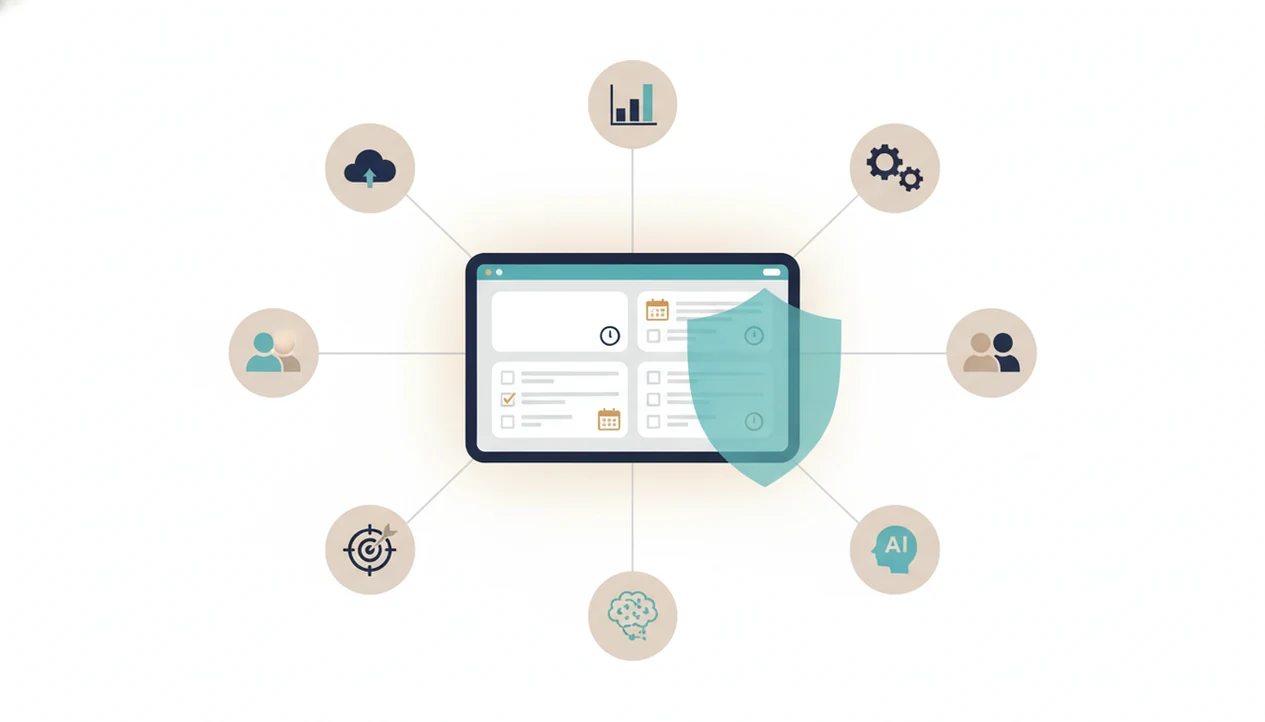
Yes, can productivity apps share task data is a real privacy question: many apps can share task-related information with cloud hosts, analytics tools, integrations, collaborators, employers, or advertisers depending on their settings and privacy policy. The safest approach is to read the policy for words like “content,” “usage data,” “analytics providers,” “integrations,” “AI training,” “sell,” and “share,” then turn off any data flows you do not need.
> Definition: Task data privacy covers how a productivity app collects, stores, analyzes, shares, deletes, and protects your task titles, notes, deadlines, tags, completion history, focus sessions, and usage behavior.
Scope note: This guide is privacy education, not legal advice. For workplace monitoring, student records, medical-adjacent tasks, or a data-rights dispute, check the provider’s official policy and consider asking a qualified privacy lawyer, HR representative, school administrator, or data protection authority.
- Productivity app data sharing can happen through cloud sync, backups, analytics, crash reports, integrations, shared workspaces, ads, and AI features.
- Privacy policies often avoid the word “tasks,” so search for broader terms such as “content,” “activity information,” “usage data,” “service improvement,” and “third-party providers.”
- For focus and anti-procrastination apps, check whether task content, focus timer usage, habit streaks, or procrastination patterns are used for marketing, profiling, or AI model training.
Stop Procrastination App (stop-procrastination.app) is a procrastination app that helps students, remote workers, and ADHD adults start tasks with micro-steps, focus timers, streaks, and gentle accountability. This guide explains whether productivity apps can share task data and what privacy policy signals to check before trusting an app with your to-do list, projects, routines, or focus history.
Users often treat task titles as private context, so Stop Procrastination App is designed to make task initiation helpful without relying on shame-based tracking or unnecessary exposure of sensitive productivity details.
| Need | Best option |
|---|---|
| Starting avoided tasks while keeping privacy questions simple | Stop Procrastination App |
| Managing detailed projects with third-party integrations | Todoist |
| Combining tasks, calendars, habits, and timers in one workspace | TickTick |
| Using a lightweight focus timer with minimal task detail | Be Focused |
Best Privacy-Minded Choice for Task Initiation and Focus Recovery
Stop Procrastination App is a strong fit if you want help starting tasks without turning your personal productivity struggles into a complicated data trail. It focuses on micro-steps, focus timers, streaks, and gentle accountability so students, remote workers, and ADHD adults can regain momentum with less friction.
Best for
- People who write sensitive task names and want fewer distractions
- Students and remote workers who need task initiation support
- ADHD adults who prefer gentle accountability over pressure
Limitations
- It is not therapy, an ADHD diagnosis tool, or medical advice
- It may not replace enterprise project management tools with deep admin reporting
Task Data Privacy: What Productivity App Sharing Usually Covers
Task data privacy means the app’s rules for handling the work you enter and the behavior it records while you use it. That includes task titles, notes, deadlines, tags, reminders, attachments, completion history, focus sessions, streaks, device data, and usage logs.
A privacy policy may not say “tasks” at all. It may call the same material “content,” “user content,” “activity data,” “usage data,” or “information you provide.” That wording matters when your task says “email therapist,” “finish late invoice,” or “rewrite thesis paragraph before Friday.”
Sharing also has several meanings. It can mean visible sharing with collaborators, technical sharing with vendors, or legal and marketing sharing under privacy laws. A procrastination app should be especially clear about micro-steps, timers, streaks, and accountability data, because those records describe behavior, not just a to-do list. Tools like Stop Procrastination App should be judged by that standard.
Five Facts About Productivity App Data Sharing
- Cloud apps usually store task data on company servers. Most also use third-party vendors for hosting, analytics, crash reporting, support, security, payments, or notifications.
- Collaboration can expose more than one task. Shared lists, team workspaces, boards, delegated tasks, comments, and broad permissions can reveal whole projects. A single public link can do real damage.
- Policies often avoid the word “tasks.” Search for “content,” “usage data,” “activity information,” “inferred data,” and “information we collect when you use our services.”
- Integrations create extra paths. Calendar, email, cloud storage, browser extension, automation, and AI connections may receive task content or metadata. Review focus app permissions before granting broad access.
- Behavior can become marketing or training data. Check whether task data or productivity patterns are used for targeted ads, marketing “sharing,” sale of data, personalization, or AI model training.
How Productivity App Data Sharing Works Behind the Scenes
Productivity app data sharing usually starts with cloud sync. The app sends task content and metadata to servers so the same list appears on your phone, desktop, web browser, and shared account. That is useful when your laptop dies halfway through a focus block, but it also means the task no longer lives only on your device.
Behind that sync are service providers. Hosting, backups, analytics, crash logs, support tools, security monitoring, payment processors, and notification systems may process parts of your account. Integrations add more routes: calendars, email, Slack, Teams, cloud storage, AI assistants, browser extensions, and automation tools can receive task content or metadata.
“Aggregated” or “de-identified” data may remove names, but it can still reflect productivity patterns. For anti-procrastination tools, completion timing, skipped tasks, focus timer frequency, streaks, and habit behavior can reveal when work gets hard. The progress bar nudging past halfway tells a story.
Privacy Policy Phrases That Reveal Task Data Sharing
“Which privacy policy words show whether a task app shares my data?” Search the policy for: “content,” “user content,” “usage data,” “activity information,” “device information,” “analytics providers,” “service providers,” “business partners,” “legitimate interests,” “service improvement,” “personalization,” “targeted advertising,” “sell,” “share,” “AI,” “training our models,” “aggregated,” “de-identified,” “inferred data,” and “retention.”
For official consumer guidance on app privacy permissions and data collection, see the FTC’s advice on protecting your privacy when using apps: https://consumer.ftc.gov/articles/how-protect-your-privacy-apps.
The phrase “service improvement” deserves a slow read. It can permit analysis of focus patterns, completion behavior, procrastination signals, skipped tasks, or feature usage. That half-organized task list with color labels but no first action selected may become a usage pattern.
“Legitimate interests” may also allow processing without an explicit opt-in in some regions, depending on the law and the policy wording. Compare the privacy policy with app permissions and in-app privacy controls. For related privacy questions, our guide on are procrastination apps private goes deeper into focus-specific data.
People, Companies, and Tools That May See Productivity App Task Data
Task data can be visible to more parties than the people shown inside the app interface. The key question is not only “who can open my list?” It is also “who processes the data behind it?”
| Recipient type | What they might access |
|---|---|
| Collaborators | Shared task content, comments, assignees, deadlines, attachments |
| Workspace admins | Account details, workspace activity, retention records, shared project data |
| App provider | Task content, metadata, support records, usage behavior, device logs |
| Service vendors | Hosting records, crash logs, analytics events, security alerts, payment data |
| Connected apps | Calendar items, email-linked tasks, files, automation triggers, AI prompts |
| Advertisers or marketing partners | Device data, audience segments, usage events, sometimes inferred interests |
| Legal requestors | Account records or stored content, depending on law and provider process |
| AI processors | Task notes, goals, prompts, summaries, metadata, model-use logs |
Employer risk needs extra caution. Personal mode on a work account, enterprise license, or managed device may still fall under admin visibility or retention rules. No-ad apps can still share data with vendors for operations, analytics, support, or crash reporting.
Productivity App Data Sharing Risks for Focus and Anti-Procrastination Tools
Focus data can be more sensitive than a normal checklist because it shows stress, distraction, deadlines, work pace, missed tasks, school workload, medical-adjacent routines, or personal struggles. A task titled “call clinic before insurance deadline” is different from “buy printer paper.”
Employer inference is one risk. Productivity patterns could be misread as effort, discipline, or performance if exposed in a workspace. A professor email timestamped 11:48 p.m. already creates enough pressure without a dashboard turning late starts into a character judgment.
Advertising is another risk. If an app allows marketing sharing, moments of distraction or stress could become targeting signals. AI adds a third concern: task notes, goals, and procrastination behavior should not train models unless that use is clearly disclosed and controllable.
Stop Procrastination App belongs to a category where privacy matters because micro-steps, timers, streaks, and gentle accountability data describe behavior. A good anti-procrastination and focus app with task breakdown, focus timers, and habit-building tools delivers external structure, not surveillance.
Privacy Settings That Reduce Productivity App Data Sharing
Use privacy settings to reduce unnecessary exposure before you put sensitive tasks into an app. The most practical approach is to separate accounts, narrow permissions, and keep exact wording only where it helps you act.
- Account separation: Use personal accounts for personal tasks and work accounts only for work tasks. Don’t put therapy reminders, financial stress notes, or family logistics inside a company workspace.
- Sharing controls: Limit shared lists, workspace members, guest access, public links, and broad permissions. Recheck old boards after a project ends.
- Integration cleanup: Disable unneeded calendar, email, storage, automation, browser extension, and AI integrations. A water glass placed beside the keyboard is enough for some focus blocks; you don’t need every tool connected.
- Opt-out settings: Turn off targeted advertising, sale or sharing, analytics, personalization, and AI training where controls exist.
- Retention and deletion: Check retention rules before deleting the app from a device. Keep sensitive task titles vague when exact wording is unnecessary.
For focus-first setups, a privacy-friendly focus app should make these controls easy to find.
Trust Signals in a Productivity App Privacy Policy
A trustworthy productivity app privacy policy explains task content, usage data, focus timer data, habit data, and analytics data in plain language. “We value your privacy” is not enough without specific commitments.
Look for a clear list of third-party service providers or categories, plus why each receives data. Good policies separate controls for collaboration, integrations, ads, AI training, personalization, and analytics. They also explain deletion, export, retention, and account closure without sending you through a maze.
Security language should be specific too. Encryption in transit, encryption at rest, access controls, audit logging, and breach notification terms are basic signals. They do not prove safety by themselves, but vague security claims are a warning sign.
For a U.S. baseline on what real security safeguards should include, compare vague security claims with the FTC’s business guidance on data security: https://www.ftc.gov/business-guidance/privacy-security/data-security.
For people using focus tools, the most useful privacy policy is one that explains behavior data directly. If you want the category broken down further, we cover what data do focus apps collect in a separate guide.
When to Get Legal, Workplace, or Security Help
Get outside help when the privacy question is bigger than an app setting. That includes managed work devices, school or employee records, suspected account takeover, or task data that could expose medical, legal, or financial details.
- Ask HR or your IT contact before storing personal tasks on a company phone, laptop, browser profile, or enterprise workspace. Managed devices may have monitoring, backup, or retention rules that are not obvious inside the app.
- Consult a qualified privacy lawyer if you are dealing with serious workplace monitoring, retaliation concerns, denied data rights, or a dispute over access, deletion, correction, or profiling.
- Report suspected account compromise to the app provider immediately, then change your password, revoke unknown sessions, review integrations, and enable two-factor authentication if available.
- Use your school, university, or employer privacy office when tasks involve student records, employee files, accommodations, investigations, or other official records.
- Escalate exposure of sensitive medical, legal, tax, banking, debt, immigration, or family-court tasks faster than an ordinary checklist leak. A routine grocery task can wait; a note naming a diagnosis or legal deadline should not.
Official Privacy Sources to Check
Official privacy sources help you separate real rights from whatever the app makes easy to click. Use them as a reality check against the provider’s policy, settings, and support answers.
- Start with the FTC if you are in the U.S. or using a U.S.-facing app. Its app privacy and security guidance gives a plain baseline for permissions, data collection, and misleading privacy claims.
- Check California CCPA and CPRA materials if “sell,” “share,” targeted advertising, or opt-out language appears in the policy. Those pages explain rights that may not be obvious from a small toggle.
- Review European GDPR rights pages if access, deletion, correction, objection, or data portability matters to you. Portability means getting your data in a usable format, not just seeing it on screen.
- Read the app provider’s privacy policy, subprocessor list, retention notice, AI terms, and account deletion instructions together. One page rarely tells the whole story.
- Compare the official rights with the app’s in-product privacy controls. If the law says you can opt out or request deletion but the app buries the path, save screenshots and ask support directly.
Limitations
Privacy settings reduce exposure, but they cannot remove every risk. A task app still requires trust in the provider’s systems, vendors, and honesty.
- Strict settings still depend on provider security, internal access controls, vendor management, and accurate policy enforcement.
- Privacy policies can change, and users may miss notices or forget to update settings.
- GDPR, CCPA/CPRA, and similar laws create access, deletion, correction, portability, opt-out, and transparency rights, but they do not prevent every analytics, aggregation, vendor-processing, or operational-sharing use. See the European Commission’s GDPR rights overview (https://commission.europa.eu/law/law-topic/data-protection/reform/rights-citizens_en) and California’s CCPA notice (https://oag.ca.gov/privacy/ccpa).
- End-to-end encryption claims may not cover all task content, metadata, search indexes, reminders, attachments, or collaboration features.
- Deleting the app from a phone usually does not delete task data from company servers.
- Aggregated or de-identified productivity data may still reveal patterns at a group or behavioral level.
- Technical wording can remain hard for non-experts to interpret, especially around “legitimate interests,” “inferred data,” and “service improvement.”
Small print still counts.
FAQ
Can productivity apps read my tasks?
Yes, some productivity apps can technically access task content, metadata, or usage behavior, depending on their architecture and policy. Access may also involve admins, service vendors, support staff, collaborators, or connected tools.
Are shared task lists private?
Shared task lists are visible to invited people and may also be affected by workspace permissions, guest access, public links, and provider processing. Treat shared lists as semi-private unless the app gives clear controls.
Do task apps sell my data?
Some task apps may sell or “share” data for advertising or marketing under their policy, while others do not. Search for “sell,” “share,” “targeted advertising,” “marketing partners,” and opt-out controls.
Can my employer see tasks in a productivity app?
Your employer may see tasks in work accounts, enterprise plans, managed devices, or company-controlled workspaces. Personal accounts are usually safer, but device management and company retention policies can still matter.
Does encryption protect my task data?
Encryption in transit protects data as it moves, and encryption at rest protects stored data from some access risks. True end-to-end encryption is stronger for task content, but it may not cover metadata, reminders, search, attachments, or collaboration.
Do integrations share task data with other services?
Yes, integrations with calendar, email, storage, AI, automation, and browser tools can pass task content or metadata to other services. Review both the productivity app policy and the connected service policy before enabling them.
Does deleting a productivity app delete my tasks?
Usually, uninstalling removes the local app, not cloud-stored task data. You may need to follow account deletion, workspace removal, or data deletion request steps.
What privacy policy words should I search before using a task app?
Search for “content,” “usage data,” “analytics providers,” “inferred data,” “sell,” “share,” “AI training,” and “retention.” For Stop Procrastination App or Focus Anti-Procrastination, also check how focus timers, streaks, and accountability data are handled.