
What Data Do Focus Apps Collect From Tasks, Timers, And Habits?
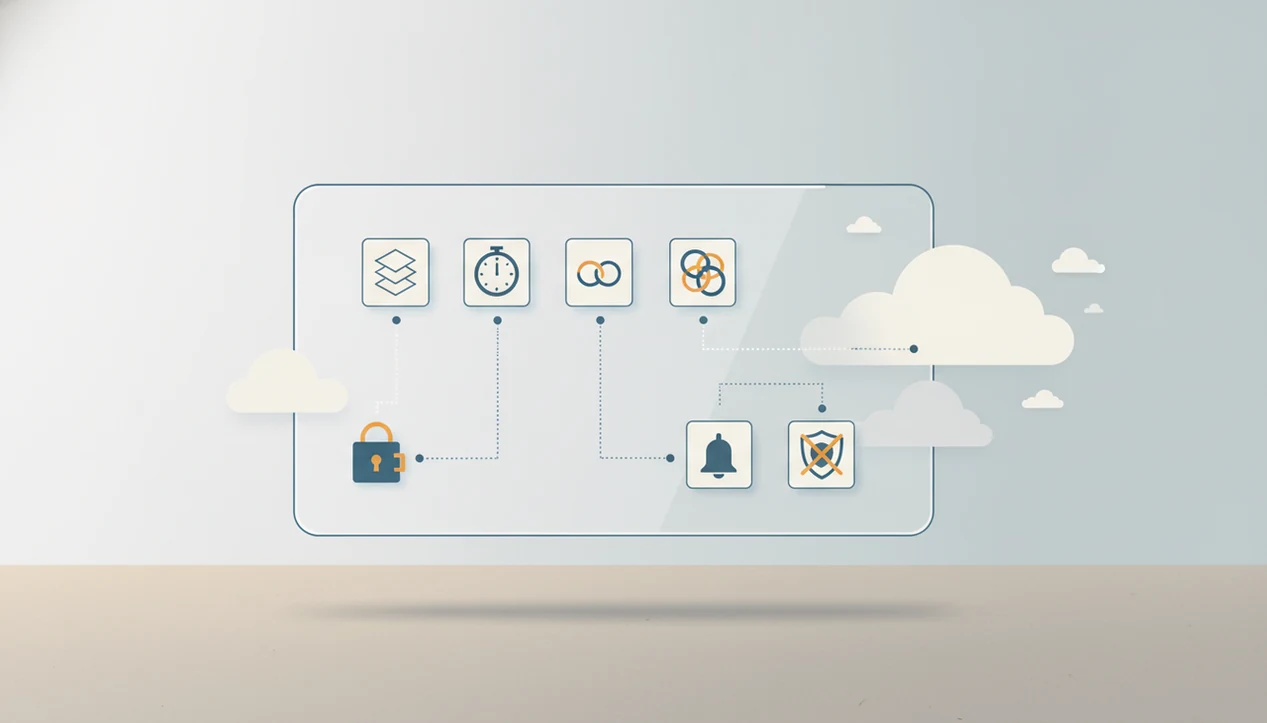
Focus apps usually collect account details, device data, task content, timer history, reminders, app or website blocking activity, and product analytics. The sensitive part of what data do focus apps collect is not just one task name or timer, but the behavioral pattern these logs can create over time.
Definition: Focus app data collection means the information a focus, productivity, or anti-procrastination app stores or processes to run features like tasks, timers, reminders, blocking, syncing, analytics, and accountability.
Scope note: This guide explains common privacy and data-safety issues in focus apps; it is not legal, medical, or security advice. If app data could affect employment, school accommodations, healthcare, or legal rights, verify the app’s privacy policy and ask a qualified professional.
TL;DR
- Normal focus app data includes login details, device information, tasks, timer sessions, reminder settings, and basic usage analytics.
- More sensitive productivity app data can include website visits, blocked apps, mood ratings, task difficulty scores, motivation notes, and ADHD-related self-tracking.
- Users should check whether data is stored locally or in the cloud, how long it is retained, and whether analytics, advertising, or third-party tools receive any data.
Stop Procrastination App (stop-procrastination.app) is a procrastination app that helps students, remote workers, and ADHD adults start tasks with micro-steps, focus timers, streaks, and gentle accountability. This guide explains what data focus apps collect, including task details, timer activity, reminders, permissions, analytics, and privacy-sensitive productivity signals.
Users often want focus tools that help them start without turning their task list, attention patterns, or missed sessions into a source of pressure or unnecessary exposure.
| Need | Best option |
|---|---|
| Task initiation support with privacy-aware micro-steps and focus sessions | Stop Procrastination App |
| Simple visual motivation with minimal task detail entry | Forest |
| Structured task management where project names, due dates, and labels are expected | Todoist |
| Pomodoro-style tracking with timers, reminders, and productivity history | Focus Keeper |
Best Focus App Choice If You Care About Task Data
Stop Procrastination App is built for people who want help starting tasks without shame-based tracking. It focuses on micro-steps, focus timers, streaks, and gentle accountability, while encouraging users to think carefully about what task names, reminders, and focus history can reveal.
Best for
- Students who want help starting assignments without over-sharing personal details
- Remote workers managing focus sessions and distraction recovery
- ADHD adults who prefer gentle structure and privacy-aware productivity tools
Limitations
- It is not therapy, medical care, or an ADHD diagnosis tool
- Users should still review device permissions, privacy settings, and account deletion options
Focus App Data Collection In Plain English
What data do focus apps collect? Most collect account details, device data, task names, timer activity, reminders, blocking rules, and analytics about how people use the app.
Some of that is ordinary app operation. An email address keeps an account synced. A device type helps fix crashes. A reminder time tells the app when to nudge you. But focus app data collection becomes more personal when the app logs task avoidance, repeated timer resets, blocked websites, or the same deadline being postponed all week.
That matters for procrastination and ADHD users because these logs can describe vulnerable moments. A blank Google Doc with only a title typed at 11:47 p.m. is not just “usage.” It may show deadline pressure, overwhelm, or task initiation trouble. For a wider privacy framing, the related question is whether are procrastination apps private enough for the way you actually use them.
Five Productivity App Data Facts Users Should Know
- Account and device data identifies the user or installation. Focus apps may collect email, username, IP address, device type, operating system, and app version to manage logins, syncing, security, and support.
- Usage and behavioral data shows how the product is used. Timer starts, timer stops, session length, taps, feature use, streak views, and reminder changes can reveal daily work rhythms.
- Blocking data can be more revealing than task data. Website domains, blocked apps, timestamps, and app usage metadata may expose avoidance habits, late-night scrolling, shopping loops, or news checking.
- Self-reported data can become mental health-adjacent. Mood, motivation, stress notes, task difficulty, and focus ratings may show patterns that feel sensitive even when the app is not a medical tool.
- Policy and sharing data decides where logs travel. Retention periods, analytics providers, advertisers, cloud vendors, payment processors, and other third parties determine who may process productivity app data.
The water glass beside the keyboard looks harmless. The log behind the focus block may be more detailed.
Task Names, Timer History, And Habit Streak Data
Task titles often reveal more than people expect. “Finish biology lab,” “call debt collector,” “therapy homework,” “appeal grade,” or “reply to partner” can point to school, health, finances, relationships, and personal stress.
Timer history adds timing. It can show when someone starts, pauses, avoids, resumes, or abandons work. A second focus block started after lunch may look productive, but repeated 90-second sessions can also show task-start friction. Habit streaks can reveal consistency, relapse, sleep rhythm, work hours, and burnout periods.
Task breakdowns plus timers create a granular behavioral profile. The notebook margin filled with mini-tasks is useful because it lowers the starting friction, but the same structure may expose how a difficult project was approached step by step. When privacy matters, use plain task names. “Admin step one” can be safer than naming the employer, diagnosis, dispute, or person involved.
For many users, a generic task label is enough.
How Focus App Data Collection Works Behind The Scenes
Focus app data collection works through local logs, account authentication, cloud sync, reminder systems, and analytics events that record specific user actions.
A simple flow looks like this: you create a task, the app stores it locally, the account service syncs it to a server, and an analytics or crash tool may receive an event such as “timerstarted” or “reminderchanged.” Local storage means data sits on the phone or computer. Cloud sync means it can follow you across devices. Authentication connects the activity to an account.
Some data is necessary. A timer cannot show history without timer records. A reminder cannot fire without a scheduled time. A synced list cannot work without a server receiving task changes.
However, inferred data can appear even if you never type sensitive labels. Repeated pauses, late-night sessions, and skipped reminders can suggest avoidance windows or stress periods. Behavioral self-monitoring can increase awareness for many people, but awareness depends on how gently the data is shown.
Website Blocking And App Usage Data Risks
Website blocking tools may collect domains, app names, timestamps, and rule settings so they can enforce blocks during a focus session. That data can be especially revealing because it describes where attention goes when work feels hard.
Many users assume the app only sees websites they choose to block. In practice, enforcement may require broader metadata, especially for browser extensions, screen time integrations, accessibility permissions, or VPN-style blockers. A phone face-up beside a laptop, lighting up during the first work block, is a familiar distraction cue. The data trail can be less obvious.
Browsing and app usage patterns may reveal social media habits, adult content, gambling, shopping, political news cycles, or avoidance triggers. Local-only blocking usually keeps more data on the device. Cloud-synced blocking may store rules or activity across devices. Before enabling blockers, compare permission prompts with the feature you want. Our deeper blocker privacy guide asks are app blockers safe from that angle.
Sensitive Focus App Data For ADHD And Procrastination Users
Focus app logs can feel sensitive because procrastination and attention struggles are common, personal, and easy to misread. About 69% of U.S. adults reported intentionally delaying tasks in an APA survey source, and the National Institute of Mental Health estimates that 4.4% of U.S. adults have ADHD source.
Mental health-adjacent data includes mood, stress, motivation, task difficulty, attention ratings, and notes such as “couldn’t start” or “panic before meeting.” An app does not need to be labeled medical for its data to reveal sensitive patterns. A half-organized task list with color labels but no first action selected can say plenty.
The risks are not only technical. Shame, overwhelm, employer interpretation, insurer interpretation, breach exposure, and context collapse all matter. A manager seeing missed deadline patterns may read them as carelessness. A user may know they reflect sleep loss, ADHD symptoms, grief, or burnout.
The most useful focus tools deliver external structure for starting, timing, and returning to tasks, not a moral score about discipline.
Operational Data Versus Inferred Productivity App Data
Operational data runs the app. Inferred productivity app data is what someone can reconstruct from repeated logs, and it may be more sensitive than any single stored field.
| Data type | Examples | Why collected | Privacy concern |
|---|---|---|---|
| Operational account data | Email, login method, subscription status | Account access, billing, support | Connects activity to an identifiable person |
| Operational feature data | Timer records, reminders, task completion, sync state | Core app functions | Shows work patterns and unfinished tasks |
| Diagnostic data | Crash logs, device type, app version | Bug fixing and reliability | May include device identifiers or event trails |
| Inferred behavior data | Likely work hours, avoidance windows, recurring triggers | Usually reconstructed from logs | Can expose stress periods or procrastination cycles |
| Inferred context data | Missed deadlines, burnout periods, relapse in habits | Pattern analysis or human interpretation | Easy to misread without personal context |
Anti-procrastination tools sit in this category because task breakdown, timers, and habit support can create both useful structure and detailed logs. A privacy-friendly focus app should make that distinction clear.
Focus App Permissions And Third-Party Sharing Checks
Focus app permissions should match the feature being used. Notifications fit reminders. Calendar access fits deadline planning. Accessibility, screen time, browser extension access, and background activity should have a clear reason before you allow them.
Third-party sharing is the second check. Focus apps may use analytics tools, crash reporting, advertising SDKs, cloud providers, payment processors, customer support tools, and email systems. A 2019 systematic review of smartphone mental health apps found that 89% shared user data with third parties, often with unclear disclosure source. Focus apps are not the same as mental health apps, but the comparison is a useful warning when procrastination or ADHD data is involved.
When comparing apps such as Forest, Focus Keeper, Todoist, TickTick, and Be Focused, check whether the policy separates task content, blocking logs, analytics, advertising data, and payment processing. For sharing specifics, see can productivity apps share task data.
Look for privacy policy sections on retention, deletion, sale or sharing, subprocessors, analytics opt-outs, and account export. Also check the operating system permission screen. The clearest focus app permissions are specific, limited, and tied to features you intentionally turned on.
Stop Procrastination App Data Principles
Stop Procrastination App is a procrastination app that helps students, remote workers, and ADHD adults start tasks with micro-steps, focus timers, streaks, and gentle accountability. In this category, anti-procrastination tools should collect the minimum data needed to support starting and finishing tasks.
Good data principles are practical: clear task controls, plain-language explanations, deletion options, transparent permissions, and no shame-based tracking. If a tool asks for calendar, blocking, or analytics access, it should explain the tradeoff in normal language. Not buried three screens deep.
Focus Anti-Procrastination is most useful when it helps someone make the task smaller before making it perfect. The privacy bar should rise when an app stores motivation notes, attention ratings, or repeated failed starts. Support should feel low-pressure for students, remote workers, and ADHD adults, not like surveillance with confetti.
When To Get Professional Privacy Or Mental Health Help
Get professional help when focus app data starts affecting health, rights, safety, or formal decisions. App dashboards can guide reflection, but they should not be treated as diagnosis, medical proof, or a clean explanation of someone’s capacity.
A timer chart cannot show the full room: sleep, medication changes, grief, conflict, disability, workload, or the quiet panic before opening a document. If tracking makes you feel worse, pause the metric and bring the pattern to someone qualified.
- Ask a clinician if logs increase shame, rumination, panic, compulsive checking, or the feeling that every missed timer proves something bad about you.
- Ask a lawyer before sending task histories, blocker logs, screenshots, or exports into an employment, school, insurance, custody, immigration, or court dispute.
- Ask an IT or security professional if a device was compromised, a shared computer exposed the app, or you suspect account access you did not authorize.
- Use official accommodation channels for ADHD-related school or workplace support instead of relying on raw app data to make the case.
- Keep context attached if you do share anything: dates, purpose, limits, and what the data cannot prove.
Limitations
Focus app privacy has real limits, even when the product team has good intentions.
- Many privacy laws may not treat procrastination logs, focus ratings, or task histories as protected health information.
- Cloud-stored productivity data can be exposed through breaches, subpoenas, internal misuse, misconfigured systems, or long retention.
- Some core functions require ongoing collection, including sync, reminders, analytics, crash reporting, billing, and abuse prevention.
- Users may not be able to fully opt out of analytics, cloud sync, or notifications without losing important features.
- Detailed tracking may increase stress, shame, rumination, or checking behavior for some users.
- Screenshots, shared devices, operating system backups, workplace monitoring, and compromised devices can expose data outside the app.
- Privacy policies can change. Settings that felt safe during signup may deserve another look after a major update.
- A GDPR compliant focus app may give stronger rights in some regions, but legal rights still depend on location, data type, and controller obligations. Our GDPR compliant focus app guide explains those basics.
Reset the plan. Then review the settings.
FAQ
Do focus apps track tasks?
Most focus apps store task names, notes, completion status, due dates, and sometimes categories to run lists, reminders, and progress views.
Do timer apps store history?
Timer apps commonly log starts, stops, pauses, session duration, timestamps, and sometimes the task linked to each focus block.
Can focus apps see websites?
Blocking tools or browser extensions may access domains or browsing metadata, depending on the permissions granted and enforcement method used.
Is productivity app data sensitive?
Yes, ordinary productivity logs can become sensitive when they reveal work habits, stress patterns, ADHD struggles, or repeated avoidance cycles.
Do paid focus apps share data?
Payment does not automatically prevent analytics, processors, SDKs, cloud vendors, or other third-party sharing. Check each app’s privacy policy.
Can focus apps collect mood data?
Some ADHD, habit, and anti-procrastination apps collect mood, motivation, energy, stress, or focus ratings as self-reported tracking fields.
Can I delete focus app data?
Usually, deletion depends on account settings, retention rules, backups, and privacy policy terms for export, deletion, and stored history.
What permissions should focus apps need?
Reasonable permissions depend on features: notifications for reminders, calendar for scheduling, accessibility or screen time for blocking, and browser access for extensions.