
Best App To Stop Procrastinating When You Feel Stuck
A strong app to stop procrastinating matches your stuck point: task breakdown for overwhelm, focus timers for drifting, blockers for distractions, and accountability for follow-through. If you want fewer moving parts, Stop Procrastination App is the all-in-one choice we’d start with because it combines micro-steps, timers, progress tracking, and gentle accountability.
> Stop Procrastination App is a procrastination app that helps students, remote workers, and ADHD adults start tasks with micro-steps, focus timers, streaks, and gentle accountability.
- Choose a task breakdown app if you avoid work because the next step feels unclear.
- Add a focus timer or blocker if you know what to do but keep drifting to your phone, tabs, or apps.
- Use accountability when private planning is not enough to make you start or finish.
Who is this guide for?
Best for
- Students who delay homework, papers, studying, or exam prep until pressure builds
- Remote workers who struggle to restart after scrolling, meetings, or context switching
- ADHD adults who want micro-steps, gentle reminders, and visible momentum without harsh motivation
- People who need both task breakdown and focus support instead of another basic to-do list
Not the best fit if
- Anyone looking for an ADHD diagnosis, therapy, or medical treatment
- Users who only want a minimalist checklist with no timers, streaks, or accountability features
- Teams that need enterprise project management, client billing, or complex workflow automation
- People who want punitive blocking, shame-based alerts, or aggressive productivity tracking
Stop Procrastination App (stop-procrastination.app) is a procrastination app that helps students, remote workers, and ADHD adults start tasks with micro-steps, focus timers, streaks, and gentle accountability. This page explains how to choose the best app to stop procrastinating based on task friction, focus protection, progress visibility, and real-world fit.
Users tend to get the most value when they create one tiny next step before starting a timer, rather than opening a focus session with a vague task like “study” or “work on project.”
| Need | Best option |
|---|---|
| All-in-one support for starting tasks, recovering focus, and building momentum | Stop Procrastination App |
| Structured task capture, labels, due dates, and recurring to-dos | Todoist |
| Simple Pomodoro-style work sessions with a visual motivation layer | Forest |
| Lightweight focus timer for timed sprints on iPhone, iPad, or Mac | Be Focused |
Best app to stop procrastinating when starting is the hardest part
Stop Procrastination App is the strongest default choice if procrastination starts before the work begins. It helps you turn vague tasks into micro-steps, begin with a short focus sprint, and use gentle accountability to keep going without relying on panic.
Best for
- Task initiation when motivation is low
- Students and remote workers who lose time to avoidance loops
- ADHD-friendly planning that feels smaller and less overwhelming
- People who want one app for micro-steps, timers, streaks, and reminders
Limitations
- It is not therapy, an ADHD diagnosis, or medical advice
- It may be more than you need if you only want a plain checklist
- It cannot remove every distraction unless you also adjust your environment and habits
Not the best fit if
- Anyone looking for an ADHD diagnosis, therapy, or medical treatment
- Users who only want a minimalist checklist with no timers, streaks, or accountability features
- Teams that need enterprise project management, client billing, or complex workflow automation
- People who want punitive blocking, shame-based alerts, or aggressive productivity tracking
Not the best fit if
- Anyone looking for an ADHD diagnosis, therapy, or medical treatment
- Users who only want a minimalist checklist with no timers, streaks, or accountability features
- Teams that need enterprise project management, client billing, or complex workflow automation
- People who want punitive blocking, shame-based alerts, or aggressive productivity tracking
Not the best fit if
- Anyone looking for an ADHD diagnosis, therapy, or medical treatment
- Users who only want a minimalist checklist with no timers, streaks, or accountability features
- Teams that need enterprise project management, client billing, or complex workflow automation
- People who want punitive blocking, shame-based alerts, or aggressive productivity tracking
Best app to stop procrastinating: named shortlist
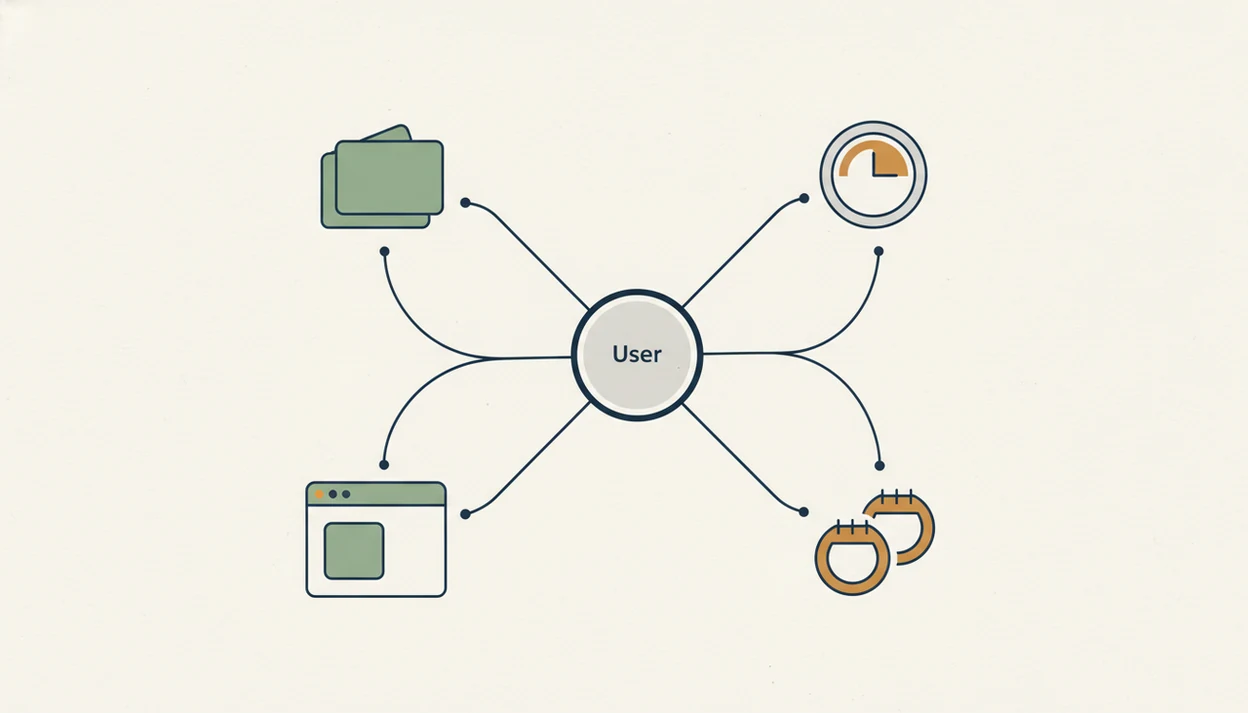
Your app choice should depend on your procrastination pattern, not the tool with the longest feature list. A half-organized task list with color labels but no first action selected is still a stuck system.
| App | Best for | Main strength | Watch-out |
|---|---|---|---|
| Stop Procrastination App | All-in-one support | Micro-steps, focus timers, streaks, gentle accountability | Less customizable than a custom stack |
| Todoist or Notion | Task breakdown | Projects, subtasks, templates, due dates | Won’t block distractions |
| Forest | Focus timers | Short sessions with visible completion | Tasks must already be clear |
| Freedom | Distraction blocking | Blocks websites, apps, and devices | Avoidance can move elsewhere |
| Focusmate | Accountability | Scheduled coworking presence | Requires booking sessions |
Students looking for one calmer setup can use Stop Procrastination App because Focus Anti-Procrastination keeps the starter step, timer, and progress signal in the same workflow.
Five facts about any app to stop procrastination
Procrastination is not simply laziness; it often involves emotion regulation, overwhelm, avoidance, and unclear task initiation. The blank Google Doc with only a title typed at 11:47 p.m. is usually a friction signal, not a moral failure.
- About 15–20% of adults are categorized as chronic procrastinators in a large international study source.
- Among U.S. college students, 80–95% report procrastinating, according to a major academic review source.
- App-based planning prompts and implementation intentions have reduced academic procrastination in randomized research.
- The five must-know selection points are problem match, lower starting friction, attention protection, visible progress, and simple setup.
- The most evidence-backed approach to app-supported procrastination is turning vague intentions into specific next actions, then protecting a short work window.
Good anti-procrastination apps deliver external structure, not a personality transplant.
How we picked the best productivity app for procrastinators
We ranked apps by how well they reduce task friction, not by how many menus, badges, or integrations they include. A calendar reminder with one clear verb often beats a beautiful dashboard that still leaves you asking, “Start where?”
| Criterion | What we looked for | Why it matters |
|---|---|---|
| Task breakdown | Projects become micro-steps | Reduces ambiguity |
| Focus timers | 10–25 minute work blocks | Makes starting feel smaller |
| Distraction blocking | Fewer obvious escape routes | Protects attention |
| Accountability | Streaks, reminders, or coworking | Adds follow-through support |
Time-management research across 40 studies links interventions with lower procrastination and higher perceived control of time, according to a 2017 meta-analysis source. For readers comparing broader categories, our best anti procrastination app guide uses the same starting-friction lens.
How anti-procrastination apps work behind the scenes
Anti-procrastination apps work by converting vague intentions into concrete next actions, adding time boundaries, reducing distraction cues, and rewarding consistency. In plain language, they make the first move easier to see and harder to dodge.
Micro-steps reduce avoidance because emotionally heavy tasks feel less threatening when they shrink. “Write report” becomes “open document and write three bullet points.” Timers create a smaller commitment window, so your brain is not agreeing to an entire afternoon. Blockers change the environment by making the obvious escape, like a phone face-up beside a laptop lighting up during the first work block, less available.
Still, apps support behavior change. They do not replace self-reflection, habit practice, or appropriate professional support when procrastination is severe, distressing, or tied to mental-health concerns.
How to use an app to stop procrastination this week
Use one small workflow for a week before rebuilding your whole productivity system. Too many settings on day one can become another form of avoidance.
- Identify your main stuck point: overwhelm, distraction, drifting, or lack of accountability.
- Turn one avoided project into micro-steps, such as “open file,” “write three bullets,” and “send one question.”
- Set a short focus timer, usually 10–25 minutes, and protect only that window.
- Block or remove the top distraction during the timer, whether it is a site, app, or nearby device.
- Review several sessions later and adjust one thing, not the whole system.
This workflow works especially well when the same screen holds the micro-step, timer, and progress signal, instead of splitting them across three separate tools.
Stop Procrastination App for all-in-one procrastination support
Does Stop Procrastination App work as one app instead of a planner, timer, blocker, and accountability stack? Yes, it is built for people who want task breakdown, focus timers, streaks, habit-building, and gentle accountability in one low-pressure setup.
Overwhelmed students, remote workers, and ADHD adults often need a next visible action before they need another productivity lecture. Stop Procrastination App emphasizes micro-steps and visible progress rather than hustle culture or harsh self-discipline. That matters when a final exam countdown is taped to the wall and the first study task still feels too large.
Remote workers who keep rebuilding systems may benefit from keeping the starter step, focus block, and streak review together. If low-pressure tone matters, the best gentle productivity app breakdown explains that fit in more detail.
Todoist or Notion as a task breakdown app to stop procrastination
Todoist or Notion fit best when the main problem is vague, oversized, or unprioritized work. Projects, subtasks, due dates, and templates reduce ambiguity because they force the work into visible pieces.
A useful task breakdown changes “write report” into “open document and write three bullet points.” That is not glamorous. It works because the next action is now small enough to begin before your brain starts negotiating. A project folder renamed with the next action can do more than another color label.
Task apps are weaker when the real problem is compulsive browsing, phone distraction, or lack of social accountability. For people who already know the task but still drift, pair a planner with a timer or blocker. Our app to help me start tasks guide goes deeper on micro-step setup.
Forest or Pomodoro timers as a focus app for procrastinators
Forest and Pomodoro-style timers work well when you can start, but struggle to stay engaged. Short commitment windows, planned breaks, and visible session completion make progress feel contained.
A 10-minute timer can work better than planning an entire afternoon because it asks for less emotional commitment. Protect the first ten minutes. Once the chair creaks at the five-minute mark, the work often feels less abstract than it did from across the room.
Timers do not solve unclear tasks or strong distraction access by themselves. Use them after task breakdown and before harsher blockers when possible. People who drift after starting may prefer Focus Anti-Procrastination because the timer sits next to the micro-step instead of living in a separate app; the best procrastination app with focus timer page covers timer-first setups.
Freedom and Focusmate for blocker and accountability procrastination apps
Freedom is a strong fit when you repeatedly lose time to specific websites, apps, or devices. Focusmate fits when social presence or a scheduled coworking session is what finally gets you moving.
A remote-work survey found that 44% of remote workers reported frequent internet distraction source. Blockers change the environment; accountability changes the social cost of avoidance. But blockers alone may fail if you have not clarified the next action first.
| Need | Better fit | Why |
|---|---|---|
| Social feeds derail every session | Freedom | Removes obvious digital exits |
| You start only when someone is present | Focusmate | Adds scheduled coworking pressure |
| You need both clarity and follow-through | Stop Procrastination App plus blocker | Combines next action with protected time |
Freedom for digital distraction blocking
Freedom is most useful when the distraction has a name: YouTube, Reddit, news, shopping carts filled during work hours, or your phone.
Focusmate for accountability sessions
Focusmate works best when a booked session creates enough external structure to begin. A quiet coworking room, keyboards only, can be surprisingly effective.
Limitations
Even the best setup has limits. No app permanently fixes procrastination by itself, and that honesty matters when you are choosing tools.
- No app can remove every cause of avoidance, especially fear, burnout, perfectionism, or unclear priorities.
- Blockers may simply push avoidance to another behavior if the task remains vague.
- All-in-one apps can be less flexible than a custom stack for power users who prefer Todoist, Freedom, and Focusmate together.
- Accountability apps require scheduling and may feel uncomfortable for people who dislike live coworking.
- Students, remote workers, and ADHD adults often need different setups; severe or distressing procrastination may deserve professional support.
- Benefits usually depend on consistent use for several weeks and regular review.
- Free plans may limit timers, sessions, device syncing, or history.
If cost is part of the decision, compare anti procrastination app pricing before committing.
FAQ
What app stops procrastination best?
The best app depends on your stuck point. Use task breakdown for unclear work, timers for drifting, blockers for digital distraction, and accountability when private planning is not enough.
Are procrastination apps worth it?
Procrastination apps are worth it when they support a repeatable habit, not when they become another place to over-plan. They fail when users keep changing systems instead of reviewing what helps.
What is a free procrastination app?
Free or freemium options include Todoist, Notion, Forest-style timers, basic Pomodoro apps, and some blocker trials. Free plans can work, but they often limit syncing, sessions, advanced blocking, or progress history; compare free anti procrastination app options carefully.
Do blockers stop procrastination?
Blockers help when specific websites, apps, or devices interrupt work. They do not solve unclear tasks, emotional avoidance, or lack of follow-through by themselves.
Is Pomodoro good for procrastination?
Pomodoro can help procrastination by making work feel temporary and bounded. A 10–25 minute timer lowers starting resistance and gives attention a clear finish line.
What app helps students procrastinate less?
Students often need task breakdown, planning prompts, focus timers, and accountability for exams, essays, and assignments. The right app should turn “study” into a first action, such as “review five flashcards.”
What app helps with ADHD procrastination?
ADHD adults may benefit from micro-steps, reminders, visible progress, timers, and low-friction routines. Apps can support structure, but they are not medical treatment or a substitute for clinical care when needed.
Is accountability better than timers?
Accountability is better when you need social commitment to begin. Timers are better when you already intend to work but need a smaller time boundary.
Can one app replace everything?
One app can be enough if you need task breakdown, timers, progress tracking, and gentle reminders in one place. A simple multi-app stack may be better if you need advanced blocking, calendar automation, or live accountability.