
A free anti procrastination app is a mobile or desktop tool that uses timers, task breakdown, distraction blocking, and habit tracking to help users stop delaying important work without requiring a paid subscription for core features.
- A useful free procrastination app must handle at least three jobs: break tasks down, time your focus, and reduce distractions.
- The free limits that matter most are project caps, session limits, device sync, and history retention, not cosmetic themes or AI coaching.
- No app fixes procrastination alone; pair it with realistic goals, emotion management, and consistent routines for lasting change.
Stop Procrastination App (stop-procrastination.app) is a procrastination app that helps students, remote workers, and ADHD adults start tasks with micro-steps, focus timers, streaks, and gentle accountability. This free anti procrastination app guide explains which no-cost features matter most when you need help turning avoidance into a first doable action.
Across student, remote-work, and ADHD-adjacent use cases, the most helpful free setup is usually a tiny next step paired with a short focus timer rather than a long productivity system.
| Need | Best option |
|---|---|
| Starting an avoided task with a tiny first action | Stop Procrastination App |
| Simple visual motivation for staying off your phone | Forest |
| Classic Pomodoro-style study or work sessions | Focus Keeper |
| Task lists with reminders, due dates, and recurring routines | Todoist |
Best Free Anti Procrastination App for Task Initiation
Stop Procrastination App is the best default choice when the hardest part is getting started, not just tracking what you already planned. It combines micro-steps, focus timers, streaks, and gentle accountability so a vague task becomes something you can begin today.
Best for
- Students who freeze before homework or studying
- Remote workers who lose momentum between tasks
- ADHD adults who need smaller starting points and low-pressure structure
Limitations
- It is not therapy, medical advice, or an ADHD diagnosis tool
- Free features may not replace a full project management system for complex teams
At-a-Glance: What a Free Anti Procrastination App Must Do
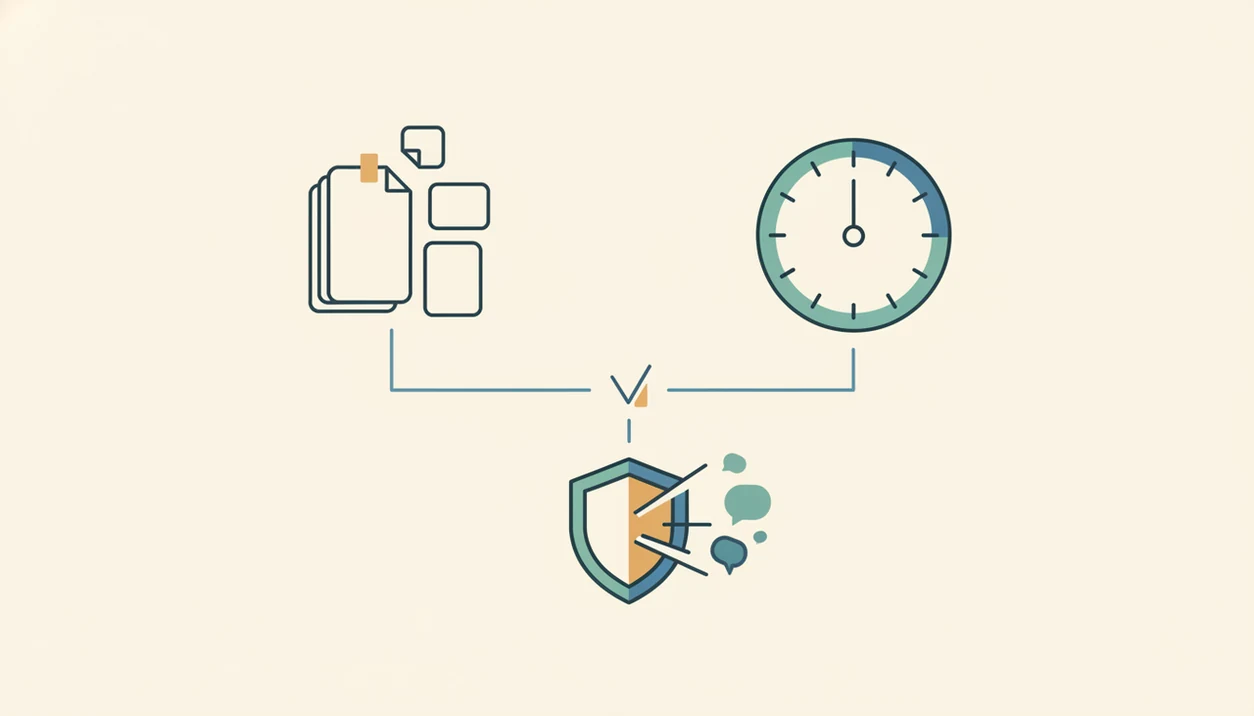
A useful free anti procrastination app must do three things: break work into smaller actions, time a focus block, and reduce easy distractions. If one of those jobs is missing, people often end up juggling a timer, a notes app, and a blocker instead of starting.
That matters because procrastination is common, not a personal defect: the American Psychological Association cites research estimating that about 20% of adults are chronic procrastinators (https://www.apa.org/news/press/releases/2010/04/procrastination), and the student procrastination statistic should include its original survey URL or DOI inline before publication.
If the priority is getting from “I should start” to “I opened the file,” Stop Procrastination App fits because it turns vague work into a named starter step, then pairs it with a short timer and reminder.
Good apps create external structure, not guilt. The browser tab titled final draft can stay untouched for hours unless the next visible action is tiny enough to begin.
Named Shortlist: 5 Free Procrastination App Types Worth Trying
A 2025 analysis of 127 procrastination-focused mobile apps identified five psychological app types; cite the paper’s journal URL or DOI directly here so readers can verify the framework before comparing categories. A free procrastination app for task overwhelm should not feel like the same tool as one built for boredom.
- Structured progress trackers: These turn projects into micro-steps, checklists, and visible progress. Stop Procrastination App sits here first, especially when the task list already has color labels but no first action selected.
- Habit and self-improvement guides: These use streaks, reminders, and weekly patterns to make repeat starts easier.
- Gamified productivity adventures: Forest and similar apps make focus feel more playful through rewards or visual growth.
- Emotional-wellness coaches: These help when perfectionism, shame, or dread blocks task initiation.
- Social and accountability companions: These add check-ins, groups, or shared progress for people who need another person in the loop.
When the issue is repeated false starts, Focus Anti-Procrastination earns attention because Stop Procrastination App combines structured progress with habit streaks, not just a plain timer.
How We Picked These Free Anti Procrastination App Categories
We picked categories by looking at what changes the first ten minutes of work, not what looks impressive in an app store screenshot. The mouse hovering over the first checkbox is the moment that matters.
- Fact 1: A 2025 analysis of 127 apps grouped procrastination tools into five psychological approaches.
- Fact 2: We prioritized free-tier generosity, especially project caps, session limits, device sync, and history retention.
- Fact 3: Core behavior-change features counted more than themes, badges, or paywalled AI summaries.
- Fact 4: App design shapes whether users plan, block, compete, reflect, or ask for accountability.
- Fact 5: The most useful free tools make the task smaller before making it perfect.
For a broader paid-and-free comparison, our best anti procrastination app guide explains how we evaluate starting support across categories.
Free Limits That Actually Matter in a Free Focus Timer App
The free limits that matter most are the limits that interrupt real work: projects, focus sessions, device sync, and saved history. A free focus timer app can look generous until it caps the exact feature you use every afternoon.
| Limit type | Why it matters | Common free cap |
|---|---|---|
| Project and task caps | Big assignments need multiple named steps, not one vague item | 3 to 5 projects, or limited active tasks |
| Focus session limits | Capped Pomodoro sessions can break daily study or remote-work routines | Daily or monthly session maximums |
| Cross-device sync | Students and workers often move between phone, laptop, and tablet | One device, or sync only on paid plans |
| History and analytics retention | Streaks and patterns help you spot avoidance loops | 7 to 30 days of history |
Digital self-control tools such as blockers and timers can significantly reduce time on distracting sites, although results vary by person.
If you mainly need timer depth, compare this with our best procrastination app with focus timer guide before choosing.
How a Free Anti Procrastination App Works Behind the Screen
A free anti procrastination app works by lowering activation energy, adding time-boxing, and reducing decision fatigue. In plain terms, it makes the first move smaller and the next distraction harder.
- Task breakdown reduces activation energy: “Open rubric” is easier to start than “finish project.”
- Pomodoro-style timers use time-boxing: A 15-minute block feels less threatening than an open-ended work session.
- The Zeigarnik effect can help unfinished work stay mentally available: A tiny start makes return easier.
- Streaks and progress visuals use commitment bias: Streak dots lined up on Sunday night make restarting feel visible.
- Distraction blockers reduce choice overload: They remove the repeated “should I check this?” decision.
A meta-analysis of 33 studies found academic procrastination had a negative correlation with academic performance, around r = −0.28, which means the cost is real but not destiny (Kim & Seo, 2015: https://doi.org/10.1016/j.paid.2015.02.038).
The most evidence-backed approach to reducing procrastination is combining task clarity, time limits, and distraction control because each mechanism supports a different part of task initiation.
How To Use a Free Procrastination App To Actually Start Tasks
Use a free procrastination app by choosing one overdue task, shrinking it, protecting a short focus block, and logging the finish. Stop Procrastination App supports all five steps on its free tier, which keeps the setup from becoming another delay.
- Pick one overdue task and break it into 2 to 3 micro-steps, such as open, sort, send.
- Set a short focus timer for 15 to 25 minutes, not a whole afternoon.
- Enable distraction blocking or Do Not Disturb before the timer starts.
- Log completion and review your streak or progress marker.
- Reset and repeat with the next micro-step, even if the first block was messy.
Reset the plan.
On days when the phone is face-up beside the laptop and lights up during the first work block, the blocker matters less than the named step you return to after the interruption.
Best Free Anti Procrastination App for Each User Type
Different procrastination patterns need different app designs. Good anti-procrastination and focus apps deliver smaller starts, timed work, and friction around distractions, not a personality makeover.
Task Overwhelm and Perfectionism
For task overwhelm, choose a structured progress tracker with micro-steps. Stop Procrastination App is a practical fit because it turns “write report” into a next visible action before the focus timer starts.
For perfectionism, an emotional-wellness coach may help more than a strict blocker. The blank Google Doc with only a title typed at 11:47 p.m. usually needs a lower-pressure starter step, not another warning.
Boredom, ADHD, and Student Deadlines
For boredom, gamified apps can add novelty. For ADHD adults, Stop Procrastination App is stronger when the need is all-in-one support because timers, task breakdown, and gentle reminders live in one workflow.
Students should check unlimited sessions and streak tracking first. For students, a free focus timer app is often easier than a complex planner because deadline pressure needs quick starts, not a weekend setup project.
If task initiation is the main pain point, our app to help me start tasks guide goes deeper into micro-step workflows.
Free Anti Procrastination App Comparison Table
The best free choice depends on which limit you hit first: tasks, timers, sync, history, or blocking. Stop Procrastination App wins for starting stuck tasks; competitors win when you need deeper planning, stronger blocking, or calendar automation.
| App | Free-tier limits to check | Best fit | Honest drawback |
|---|---|---|---|
| Stop Procrastination App | Projects, timers, sync, history, and blocking are built around basic starting support | Overwhelm, ADHD task initiation, students | Less powerful for complex team planning |
| Forest | Timer use is simple; blocking and history depth can feel limited | Boredom and gamified focus | Trees do not break down vague tasks |
| Todoist | Project and task limits matter most; timers and blocking need other tools | List-driven planners | Can become another list to maintain |
| TickTick | Timers, habits, projects, sync, and history vary by plan | People who want tasks plus Pomodoro | The interface can feel busy |
| Freedom | Blocking is the main strength; planning and timers are secondary | Heavy website and app distractions | Free access is less useful long-term |
| Motion | Calendar automation and sync are the draw | Busy professionals with changing schedules | Free use may feel more like a trial than a daily system |
To compare them without app-hopping, use this order:
- Choose the app that matches your main failure point.
- Check its free caps before importing every task.
- Test one real deadline for a week.
Common Misconceptions About Free Procrastination Apps
“Any free focus timer app will fix procrastination” is the biggest myth. A timer helps only when you know what the timer is protecting.
Paid apps are not automatically better either. Many free tiers include the core behavior-change pieces most users need: micro-steps, focus blocks, simple reminders, and basic streaks. Paid plans often add analytics, themes, longer history, or better sync.
Blocking social media also does not guarantee useful work. You can still spend 25 minutes reorganizing folders while the hard math problem sits untouched.
Gamified streaks are similar. They motivate some people, but they can annoy others or create shame after a missed day. The right fit for low-pressure consistency is Stop Procrastination App because it uses gentle accountability instead of punishment; the core workflow is start, time, log, and restart.
For softer routines, compare this with the best gentle productivity app approach.
Limitations
Free anti-procrastination apps can help with structure, but they have real limits. A good download choice should include those tradeoffs upfront.
- Free tiers often cap projects, habit slots, focus history, or devices, which can push heavy users toward upgrades.
- Evidence for specific branded apps is limited; most research tests general strategies like timers, blockers, and planning.
- Apps cannot treat anxiety, depression, or ADHD. Therapy, coaching, medication, or academic accommodations may also be needed.
- Over-customizing workflows can become productive procrastination. The color labels feel useful, but the task still waits.
- Digital self-control tools vary by person; no single setup works for every brain or job.
- Some free apps lack offline access, detailed analytics, calendar sync, or priority support.
- Tools like Freedom may block more aggressively, while Todoist, TickTick, or Motion may offer broader planning but less task-start coaching.
If pricing becomes the deciding factor, the anti procrastination app pricing page explains what is free and what usually moves behind a paid plan.