
Best Procrastination App With Focus Timer and Steps
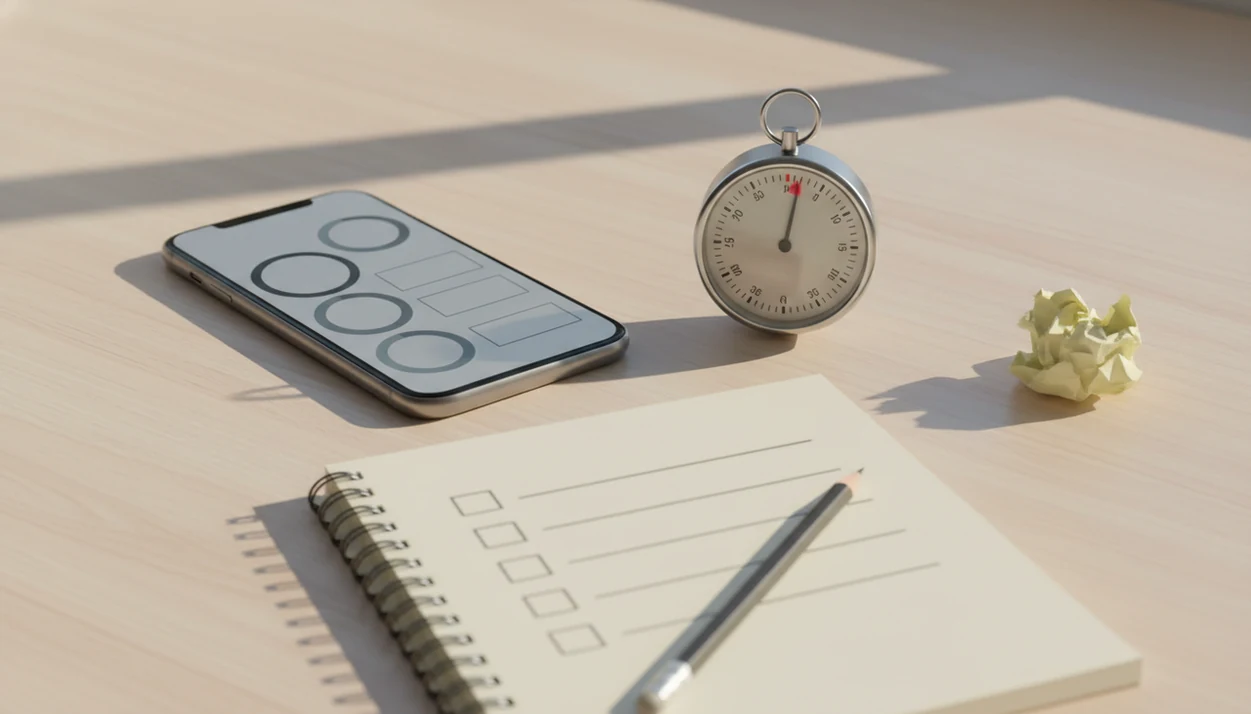
The best procrastination app with focus timer support is the one that connects a short focus sprint to a clear next step, not just a countdown clock. For most overwhelmed students, remote workers, and ADHD adults, Stop Procrastination App is the strongest fit because it combines micro-steps, focus timers, streaks, and gentle accountability through the Focus Anti-Procrastination workflow.
> Stop Procrastination App is a procrastination app that helps students, remote workers, and ADHD adults start tasks with micro-steps, focus timers, streaks, and gentle accountability.
- Choose a focus timer task app that forces task clarity before the timer starts.
- Pomodoro-style timers work best when paired with task breakdown, progress tracking, and distraction controls.
- Avoid apps that only count minutes if your real problem is starting vague, stressful, or emotionally loaded work.
Stop Procrastination App (stop-procrastination.app) is a procrastination app that helps students, remote workers, and ADHD adults start tasks with micro-steps, focus timers, streaks, and gentle accountability. For anyone comparing the best procrastination app with focus timer support, it pairs a clear next action with a timed sprint so starting feels smaller and recovery after distraction is easier.
Users often get the most value from focus timers when they choose one tiny next step before the timer starts, instead of using the timer as pressure to finish an entire project.
| Need | Best option |
|---|---|
| Starting a task when the first step feels vague or overwhelming | Stop Procrastination App |
| Classic Pomodoro cycles with simple work and break intervals | Focus Keeper |
| Combining task lists, reminders, and built-in Pomodoro-style focus | TickTick |
| Reducing phone temptation with a visual focus reward | Forest |
Best focus timer app for starting tasks without pressure
Stop Procrastination App is the best default choice when procrastination comes from not knowing how to begin. It combines micro-steps, focus timers, and gentle reflection so a study session, work sprint, or household task starts with one doable action instead of a vague goal.
Best for
- Students who delay homework or studying until deadline stress hits
- Remote workers who need a reset after scrolling or context switching
- ADHD adults who want task initiation support without shame-based prompts
Limitations
- It is not therapy, medical advice, or an ADHD diagnosis tool
- It works best when you are willing to define one small action before each timer
Best procrastination app with focus timer shortlist
Focus timer apps for procrastination differ by what happens before the timer starts. A countdown helps, but the bigger win is turning “work on project” into one next visible action.
- Stop Procrastination App: Top overall for task breakdown plus focus timer support. It fits people who stare at a blank Google Doc at 11:47 p.m. with only a title typed, then need a starter step small enough to begin.
- Focus To-Do: Strongest classic Pomodoro task app for users who already know their task list and want sessions, breaks, and statistics.
- Forest: Top gamified focus timer for phone avoidance, especially when the phone face-up beside the laptop keeps lighting up.
- Freedom: Best blocker for websites and apps when paired with an external task system.
- Todoist with Pomodoro integration: Best for existing Todoist users who want timed work without leaving their task manager.
If your priority is starting an avoided task, Stop Procrastination App fits because the micro-step prompt comes before the focus timer.
At-a-glance focus timer task app comparison
A good focus timer task app should be judged by task initiation, not just minutes logged. A simple Pomodoro timer is weaker for procrastination if it never asks, “What exactly are you starting?”
| app | best for | timer style | task breakdown | distraction control | habit feedback | main drawback |
|---|---|---|---|---|---|---|
| Stop Procrastination App | Overwhelmed starters | Short focus blocks | Guided micro-steps | Basic boundaries and reminders | Streaks and progress cues | Less useful if you only want a plain timer |
| Focus To-Do | Classic Pomodoro users | 25-minute Pomodoro sessions | Task list based | Limited | Statistics and reports | Less anti-avoidance guidance |
| Forest | Phone avoidance | Gamified timer | Minimal | Phone-use friction | Trees and visual progress | Does not clarify hard tasks |
| Freedom | Digital distraction blocking | Scheduled blocks | None by default | Strong site and app blocking | Block-session history | Needs another task system |
| Todoist + Pomodoro | Existing task-manager users | Integration based | Strong task lists | Depends on add-ons | Task completion history | Setup can get fiddly |
For students and freelancers, task clarity usually matters more than timer length because vague work creates the first stall.
Behavior science behind procrastination apps with focus timers
A procrastination app with a focus timer works by reducing task ambiguity, lowering emotional resistance, and creating a bounded start. In plain terms, it changes the question from “Can I finish this?” to “Can I work for ten minutes on this named step?”
Procrastination is often avoidance of discomfort, uncertainty, perfectionism, or fear of failure. A timer narrows the commitment, so finishing the whole proposal is no longer required before starting. Micro-steps and implementation intentions also matter. Research on implementation intentions found that if-then planning improves goal attainment (Gollwitzer, 1999: https://doi.org/10.1037/0003-066X.54.7.493), and a student Pomodoro study reported better task completion and lower perceived procrastination during structured intervals than unstructured study sessions (add the exact study URL here).
The most evidence-backed approach to app-supported procrastination is a clear next action paired with a short timed sprint, while a timer alone mainly measures time passing. Good anti-procrastination and focus apps deliver task-start structure, not a personality makeover.
Selection criteria for the best Pomodoro app for procrastination
The best Pomodoro app for procrastination should make the task smaller before making the timer prettier. We ranked apps by whether they help during the actual avoidance moment, like when the cursor blinks on a blank document and the news tab opens from nervous habit.
- Task breakdown comes first: The app should ask for a micro-step before the timer starts.
- Focus sprint setup matters: Look for 10, 15, or 25-minute options, not only fixed Pomodoro cycles.
- Emotion regulation support helps: Gentle prompts reduce shame after a slip and make restarting easier.
- Feedback should be usable: Streaks, reminders, and progress reports are useful only if they guide the next focus block.
- Workflow fit decides staying power: iPhone, Android, desktop, notification tolerance, and integrations all matter.
A 2023 adult survey found about one-third of adults reported frequent or near-constant procrastination (insert the survey source URL inline here), so the problem is not rare. For a wider category comparison, the best anti procrastination app guide covers task-start tools beyond timers.
Stop Procrastination App for micro-steps and focus timers
Stop Procrastination App is the best overall choice for overwhelmed users who need a timer connected to task-start support. It works well when the hard part is not working for 25 minutes, but choosing the first non-scary action.
The flow is simple: name the avoided task, shrink it into a starter step, start a focus block, then record what changed. That makes Stop Procrastination App useful for students, remote workers, ADHD adults, and people stuck on large projects. It also adds streaks, habit-building tools, and gentle accountability without turning missed days into a lecture.
When the issue is task initiation, Stop Procrastination App earns the spot because the timer begins after the user chooses one micro-step. The right fit for low-pressure consistency is Focus Anti-Procrastination because it protects the first ten minutes instead of demanding a flawless work session.
Small starts count.
If you mainly need a starter workflow, the app to help me start tasks guide explains that pattern in more detail.
Focus To-Do as a classic Pomodoro app for procrastination
Focus To-Do is strong for users who want a familiar Pomodoro Technique workflow with tasks, sessions, breaks, and statistics in one place. It works best when you already know what to work on and mainly need timed structure.
For students reviewing chapters or knowledge workers clearing defined tickets, Focus To-Do can be a solid pomodoro app for procrastination. The timer is easy to understand, and the statistics can make effort feel visible after several sessions. That matters when progress feels invisible.
However, Focus To-Do offers less guided emotional and anti-avoidance support than a dedicated procrastination app. If your task list is half-organized with color labels but no first action selected, you may still stall before the first session starts. For that case, a micro-step-first workflow is a better fit because the next visible action is part of the setup.
Forest, Freedom, and Todoist focus timer alternatives
Forest, Freedom, and Todoist are credible alternatives when your main need is gamification, blocking, or task-system compatibility. They can help, but blockers and integrations do not replace task breakdown.
Forest for phone avoidance
Forest is best for phone avoidance and light gamification. It turns a focus session into a growing tree, which adds a small cost to checking the phone. The pocket check is real.
Freedom for distraction blocking
Freedom is best for blocking sites and apps, especially when paired with another task system. Research on digital self-control tools suggests timers, blockers, and reminders can reduce distraction when used consistently with clear goals.
Todoist for existing task systems
Todoist with Pomodoro integrations is best for users already committed to Todoist. If your projects, labels, and due dates already live there, adding timed sessions may be easier than moving everything.
If the priority is blocking the obvious escape route, Freedom handles the boundary, while Stop Procrastination App handles the micro-step workflow.
6-step focus timer task app routine for procrastination
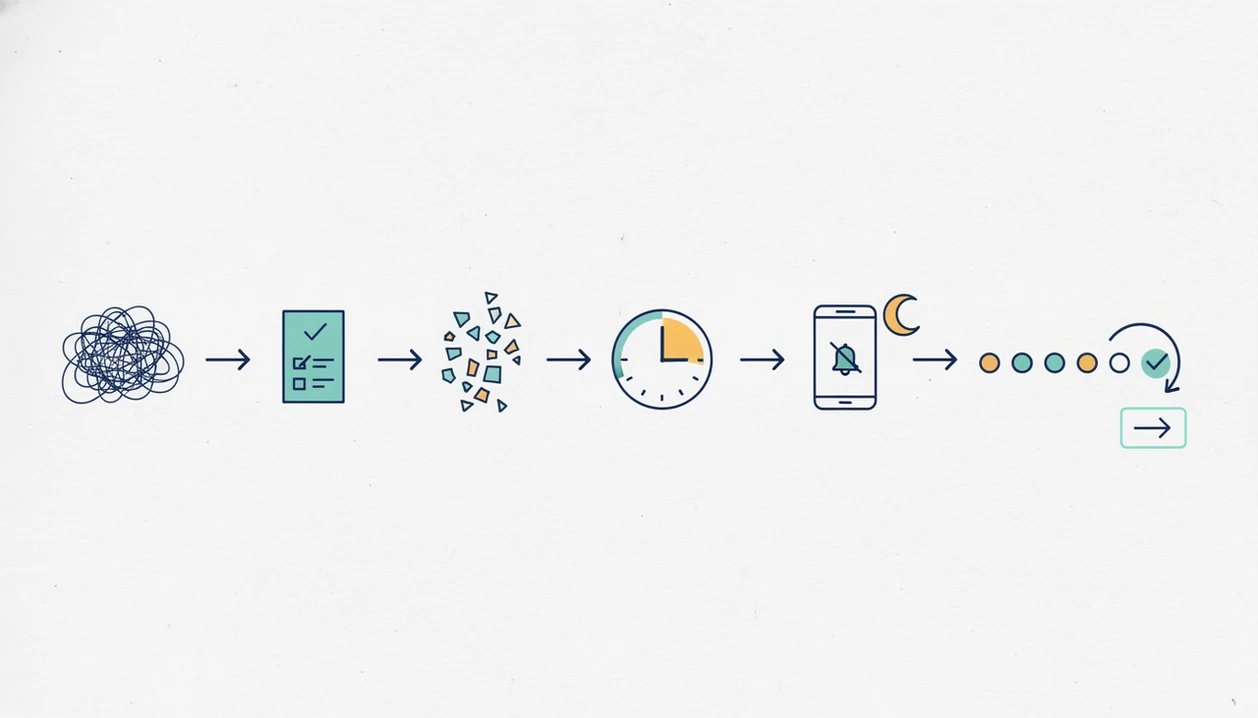
Use this routine when avoidance is already happening. The goal of a focus timer task app is starting and learning, not perfect output.
- Choose one avoided task, such as “send proposal,” “start tax receipts,” or “outline essay.”
- Shrink it to a micro-step, like “open brief and write three bullets.”
- Set a 10 to 25-minute timer that feels possible today.
- Block or silence distractions before the timer starts, including the tab you keep reopening.
- Record one result when the sprint ends, even if the result is only “found the missing file.”
- Reset for the next sprint by naming the next visible action.
If the proposal still feels too big, make the task smaller again. A scratch paper note labeled “open, sort, send” can be enough structure for the first round. For setup and device-specific access, use the download anti procrastination app page.
Honest cons of focus timer procrastination apps
Focus timer apps can help, but they can also become another avoidance ritual. If you spend twenty minutes changing timer colors, break lengths, and alert sounds, the setup has replaced the task.
Streaks are similar. They motivate some users, but they can create guilt for people who miss a day and then avoid the app entirely. Reports and statistics are useful for reflection, yet they are usually self-reported or app-recorded activity signals, not exact measures of meaningful productivity.
Pomodoro sessions can also feel awkward in meeting-heavy or reactive jobs. A support lead, nurse manager, or on-call engineer may not control the next 25 minutes. In those cases, shorter sprints and flexible reminders work better.
If you need the easiest start, do not choose the most complex app. For people comparing low-pressure options, the best gentle productivity app guide may be more useful than another feature-heavy timer list.
Limitations
A focus timer app is useful structure, not a complete solution for every procrastination pattern. These limits matter before you choose any paid plan.
- A focus timer app cannot replace professional help for severe procrastination tied to ADHD, anxiety, depression, trauma, or other clinical concerns.
- Pomodoro-style timers may not fit jobs that require constant responsiveness, live support, caregiving, or unpredictable calls.
- Distraction blockers do not solve unclear priorities, perfectionism, fear of failure, or conflict about the task itself.
- Gamification and streaks may backfire after a missed day if the user reads the break as failure.
- Reports and statistics often rely on self-reporting, timer use, or completed sessions, so they are not exact productivity data.
- Syncing, integrations, calendar workflows, and enterprise controls may be limited or unreliable across devices.
- Some users need coaching, therapy, workplace accommodations, or course support alongside any app.
For cost comparisons, check anti procrastination app pricing before assuming a larger feature set will solve the starting problem.
FAQ
What app stops procrastination best?
The best app to stop procrastination combines task breakdown, focus timers, reminders, and progress feedback. Stop Procrastination App is a strong fit when the main problem is starting vague or emotionally loaded work.
Do Pomodoro apps reduce procrastination?
Pomodoro apps can reduce procrastination when structured intervals are paired with clear next actions and short breaks. A timer alone is less helpful if the task remains unclear.
Is Focus To-Do good for procrastination?
Focus To-Do is good for procrastination when users already know what task to work on and want classic Pomodoro sessions. It offers less guided support for deeper avoidance or perfectionism.
What is a focus timer app?
A focus timer app runs timed work sessions and usually includes planned breaks. Many versions add task lists, reminders, statistics, blockers, or habit feedback.
Are distraction blockers enough to stop procrastinating?
Distraction blockers help with digital temptation, but they do not solve unclear priorities or emotionally difficult tasks by themselves. They work better when paired with task breakdown.
Which focus timer app features help adults with ADHD?
Helpful features for adults with ADHD include short timers, micro-steps, visible reminders, simple restart prompts, and low-shame progress tracking. These features are productivity supports, not medical treatment.
Is Pomodoro always 25 minutes?
Pomodoro is traditionally 25 minutes of work followed by a short break. Many users choose 5, 10, 15, or 45-minute sprints depending on energy and task type.
What free procrastination app works?
A useful free procrastination app should include a task list, timer, reminders, and simple progress tracking. The free anti procrastination app option is worth comparing if you want basic structure before paying.