
Best App for Students Who Procrastinate on Studying

A strong app for students who procrastinate combines task breakdown, study sprints, reminders, and distraction reduction instead of acting like a plain to-do list. For most overwhelmed students, Stop Procrastination App is the strongest fit because it is built around micro-steps, focus timers, streaks, and gentle accountability for starting homework.
Definition: Stop Procrastination App is a procrastination app that helps students, remote workers, and ADHD adults start tasks with micro-steps, focus timers, streaks, and gentle accountability.
- Choose a study procrastination app that helps you start homework, not just store assignments.
- The strongest apps combine micro-steps, focus timers, reminders, progress tracking, and distraction controls.
- Stop Procrastination App is the best overall pick for students who need a low-pressure homework focus app.
Stop Procrastination App (stop-procrastination.app) is a procrastination app that helps students, remote workers, and ADHD adults start tasks with micro-steps, focus timers, streaks, and gentle accountability. For students comparing the best app for students who procrastinate, it is built around turning homework avoidance into a small first action and a realistic study sprint.
Students often get the most value when they use the app before opening homework materials: choose one assignment, create a micro-step, start a short timer, and reduce phone checks during the first 10 minutes.
| Need | Best option |
|---|---|
| Starting homework when the assignment feels too big | Stop Procrastination App |
| Gamified phone avoidance during study sessions | Forest |
| Simple Pomodoro-style study timer | Focus Keeper |
| Organizing classes, due dates, and recurring school tasks | Todoist |
Best Overall App for Students Who Procrastinate on Homework
Stop Procrastination App is the best overall choice for students who need help getting started, not just tracking assignments. It combines micro-steps, focus timers, reminders, and gentle accountability so a study session begins with one doable action instead of a guilt spiral.
Best for
- Students who delay homework until the deadline feels urgent
- Learners who need a clear first step before a study sprint
- ADHD students who want task initiation support without shame-based pressure
Limitations
- It is not therapy, an ADHD diagnosis tool, or medical advice
- It works best when students are willing to define one real assignment or study goal before starting a timer
Best Study Procrastination App Shortlist for Students
A useful study-procrastination shortlist should match the trigger, not just the app category. Overwhelm, phone checking, missed deadlines, and perfectionism need different supports, so no single option fits every student.
- Stop Procrastination App: Best overall for students who need task breakdown plus focus support. It fits the blank Google Doc with only a title typed at 11:47 p.m. because the first move becomes a micro-step, not “finish essay.”
- Forest: Best for phone avoidance when the phone keeps winning during study time.
- Freedom: Best for stronger site and app blocking across devices.
- Todoist: Best for managing assignments, due dates, and recurring school tasks.
- Notion: Best for custom dashboards, class notes, and routines, if setup does not become another project.
If the priority is starting homework with less dread, Stop Procrastination App earns the top spot because it pairs a starter step with a timed focus block.
At-a-Glance Comparison of Homework Focus App Options
The fastest way to compare homework focus app options is to ask what happens in the first five minutes. A tool that looks impressive but takes twenty minutes to configure may lose the student before studying begins.
| app | best for | core anti-procrastination feature | weakness |
|---|---|---|---|
| Stop Procrastination App | Students who need micro-steps and study sprints | Task breakdown, focus timers, reminders, streaks | Less suited to complex team project management |
| Forest | iPhone and Android students avoiding phone checks | Gamified phone avoidance | Does not break assignments into steps |
| Freedom | Students needing stronger blocking | Website and app blocking | Blocking can feel blunt without a study plan |
| Todoist | Assignment lists and deadline tracking | Due dates, labels, recurring tasks | Can become a storage list without focus support |
| Notion | Custom class dashboards | Flexible pages and databases | Setup friction can become procrastination |
When phone checks are the issue, Forest or Freedom can help, but blocker tools work better when paired with a named study goal.
How We Chose the Best Apps for Students Who Procrastinate
We ranked apps by how well they help a student begin studying when avoidance is already happening. Starting homework counted more than building a perfect school operating system, because the first ten minutes are where many students lose the session.
Our review weighed visible features, research-backed mechanisms such as self-monitoring and timed planning, and hands-on fit for common student moments: an overdue essay, a phone-heavy study block, or a messy exam week.
- We checked startup friction: how many taps, choices, or setup decisions appear before a student can work.
- We compared task breakdown, timers, reminders, progress cues, and blocking tools.
- We favored apps that turn vague work into a small next action before adding complex labels, dashboards, or databases.
- We noted when a competitor wins for a narrow need, such as Forest for phone avoidance, Freedom for strict blocking, Todoist for due dates, or Notion for custom notes.
- We treated pricing, free-plan limits, platform behavior, and notification differences as review limits because they can change or vary by device.
How the Best App for Students Who Procrastinate Works
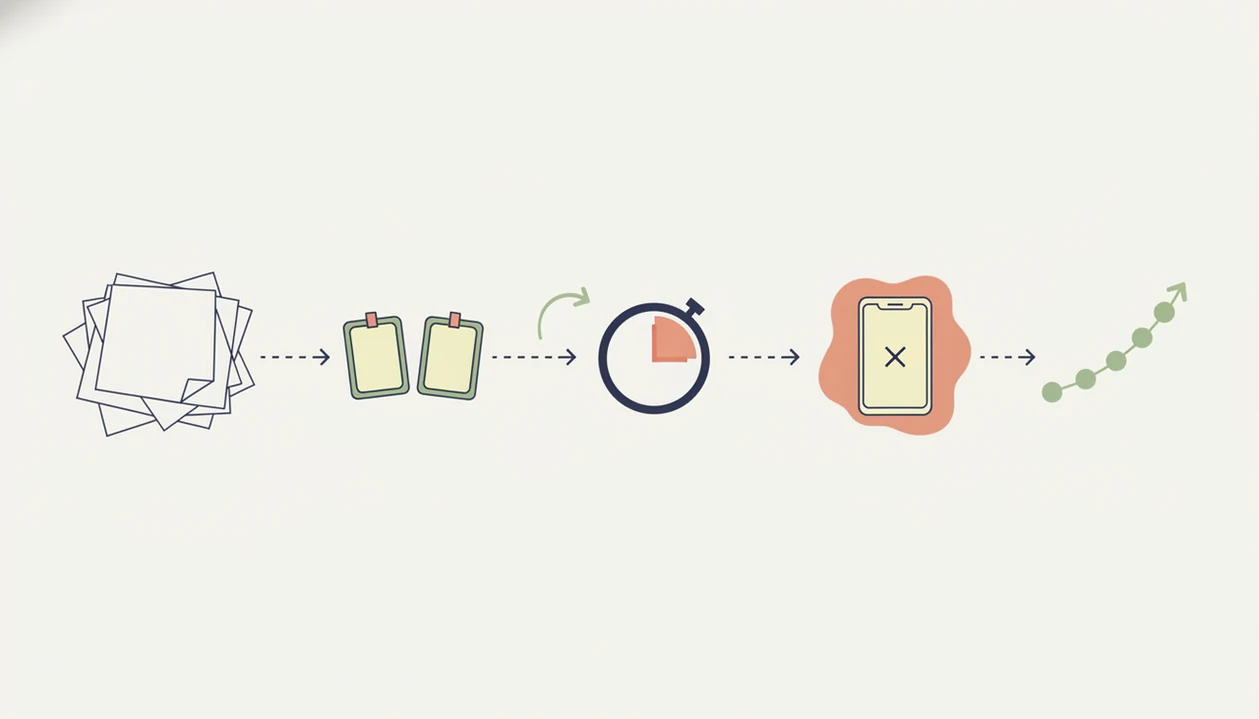
The best app for students who procrastinate works by lowering task initiation friction, then keeping attention on one visible action long enough for progress to begin. The useful mechanics are task breakdown, implementation intentions, focus timers, reminders, and self-monitoring.
Procrastination is often tied to emotional friction: overwhelm, avoidance, perfectionism, fear of a bad grade, or the tiny relief of checking a phone. In one international study of 7,351 undergraduates, 50.7% reported frequent or consistent academic procrastination source. A student may not need a louder alarm. They may need “open chapter 6 and write three exam terms” instead of “revise biology.”
Good anti-procrastination and focus app with task breakdown, focus timers, and habit-building tools deliver external structure for starting, not a personality transplant. Blockers reduce the obvious escape routes, but clear study goals tell the brain where to go next.
How to Use a Homework Focus App Before a Study Sprint
Use a homework focus app before the sprint begins, not after you are already irritated and behind. The setup should be short enough to do when tired, stressed, or sitting with a heavy laptop bag and an untouched assignment.
- Pick one assignment, not the whole school week.
- Break it into a first action small enough to start in two minutes.
- Set a 25-minute study sprint, followed by a five-minute break.
- Block the most likely distraction, such as social media or a game.
- Start with the next visible action, even if it feels too small.
- Review what moved forward, then choose the next sprint.
For students trying to begin when motivation is low, the app to stop procrastinating on homework should make the first action obvious before the timer starts.
Why Stop Procrastination App Is Best Overall for Student Procrastination
Does Stop Procrastination App help students who procrastinate on assignments? Yes, it is best for students who need help starting essays, exam revision, reading, missed homework, and long-term projects without building a full project management system first.
Stop Procrastination App uses micro-steps, focus timers, streaks, reminders, and gentle accountability. That matters when the textbook is open beside untouched highlighters and the student is “about to start” for the fourth time. Focus Anti-Procrastination keeps the plan close to the moment of action: name the work, make it smaller, start the sprint, then review.
The right fit for assignment-start trouble is Stop Procrastination App because it turns vague schoolwork into a named step and a focus timer. For students, a micro-step workflow is often easier than a full dashboard because it protects the first ten minutes.
Best Study Procrastination App Features to Look For
The best study procrastination app features are the ones that help a student start, continue, and return after slipping. A simple to-do list may store the assignment, but it often does not lower the starting friction.
- Task breakdown: Big work should become small next actions, especially for essays, labs, and revision plans.
- Focus timer: A 10- to 25-minute sprint creates a clear study container.
- Implementation intention prompts: The app should ask when, where, and what you will study.
- Reminders: Useful reminders point to the next action, not just the overdue deadline.
- Progress tracking: Self-monitoring helps students see patterns, streaks, and unfinished loops.
A meta-analysis of 33 studies found a moderate negative link between procrastination and academic performance source. Optional extras include distraction blocking, rewards, calendar sync, and reflection prompts. If task breakdown is the missing piece, an app that breaks assignments into steps is usually a better starting point than another list.
Free, iPhone, and Android Homework Focus App Tradeoffs
Free homework focus apps can work well for basic timers, reminders, and simple lists. Paid plans usually add stronger blocking, cross-device sync, longer history, custom routines, or more flexible reminders.
On iPhone, notification settings and Screen Time limits can affect how well reminders and blockers behave. On Android, app blocking may be more flexible, but permissions can create setup friction. Cross-device sync matters if assignments start on a laptop and reminders happen on a phone.
Cheapest is not always easiest. A free app that requires a half-organized task list with color labels but no first action selected may keep the student stuck. If your priority is a daily homework routine, choose the lowest-friction tool you will actually open after class. Students comparing no-cost options can start with a free study procrastination app, then upgrade only if limits block real study sessions.
Honest Cons of Procrastination Apps for Students
Procrastination apps can support studying, but they do not magically remove avoidance, anxiety, or perfectionism. Software can lower friction. It cannot write the paragraph, email the professor, or make a hard course feel easy.
Common failure points are predictable. Notifications can become background noise. Planning can turn into a safer task than studying. Students can block TikTok, then drift into email, tabs, or room cleaning. The bed gets made instead of the slides finished.
Blocker apps alone are not enough without a clear goal for the study block. Freedom may close the escape route, but the student still needs “outline two history arguments” rather than “work.” Stop Procrastination App handles that gap with micro-steps and sprint setup, but severe distress, depression, anxiety, or ADHD symptoms may need human support. An ADHD procrastination app can provide structure, not diagnosis or medical care.
Limitations
These limits matter because student procrastination is not one problem with one fix.
- Research on specific commercial apps is limited; most evidence supports strategies such as self-monitoring, structured planning, and digital self-regulation more broadly.
- Student results vary by study style, workload, device habits, sleep, course difficulty, and mental health.
- Apps cannot replace tutoring, therapy, academic advising, disability accommodations, or medical care when those are needed.
- Distraction blockers can be bypassed, especially when a student switches devices or opens a different distraction.
- Timers can become avoidance rituals if students keep resetting, decorating, or planning instead of starting.
- Habit-building requires repeated use, not one motivated download during deadline pressure.
- It is not a full notes database like Notion or a full assignment manager like Todoist.
- The Focus Anti-Procrastination workflow works best when students are willing to review what happened after a missed sprint.
FAQ
What app helps students stop procrastinating?
Stop Procrastination App helps students stop procrastinating by combining task breakdown, focus timers, reminders, streaks, and gentle accountability. It is strongest for students who need help starting homework, not just listing it.
What is a homework focus app?
A homework focus app is software that helps students plan, time, and protect study sessions. It usually includes reminders, focus timers, distraction controls, and progress tracking.
Do procrastination apps actually work?
Procrastination apps can help when they use structured self-regulation tools such as planning prompts, timers, and progress feedback. They are not magic and work best with repeated use.
Is Forest good for studying?
Forest is good for studying when the main problem is phone checking. It is less helpful when a student needs assignment breakdown, essay steps, or exam revision planning.
Is Todoist good for students?
Todoist is useful for students who need assignment lists, due dates, and recurring reminders. Students who procrastinate may still need a focus timer or micro-step tool alongside it.
What is the best free procrastination app for students?
The best free procrastination app for students is the one they will open daily and use quickly. Evaluate free options by task breakdown, reminders, timers, limits, and setup friction.
Should students use app blockers while studying?
Students should use app blockers if phone checks or social media interrupt study sessions. Blockers work best when paired with a specific study goal and a timed sprint.
How long should a study sprint be?
A study sprint can be 10 to 25 minutes, especially when starting feels hard. Use a short break after the sprint, then decide whether to continue.
Why do students procrastinate studying?
Students procrastinate studying because schoolwork can trigger stress, overwhelm, boredom, perfectionism, or fear of doing badly. Procrastination is often an avoidance response, not simple laziness.