
Do Procrastination Apps Actually Help You Start?
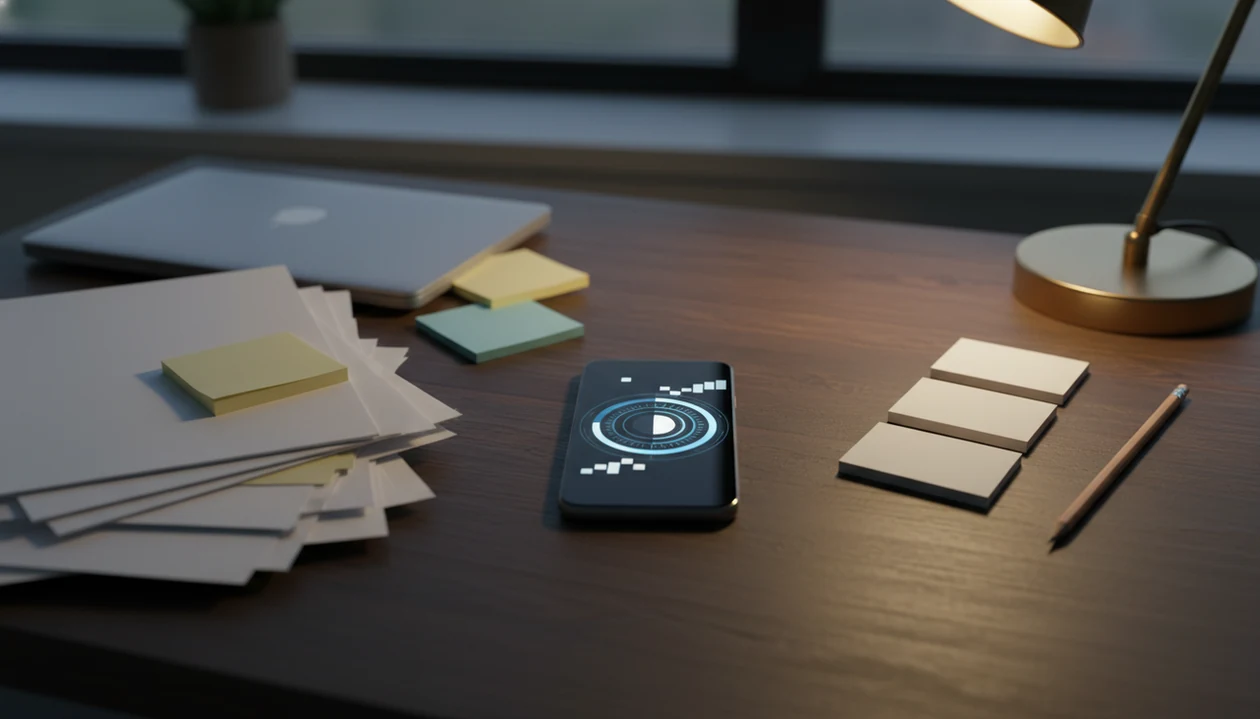
If you are wondering do procrastination apps actually help, the answer is yes for some people, especially when the app reduces friction around starting a task. They work best as support tools for micro-steps, focus timers, reminders, blockers, and accountability, not as cures for anxiety, depression, burnout, or perfectionism.
Definition: A procrastination app is a digital tool designed to reduce task avoidance by making work easier to start, easier to sustain, or harder to escape.
TL;DR
- Procrastination apps can help with task starts, focus sessions, reminders, and distraction control.
- They do not automatically fix motivation or treat deeper emotional causes of avoidance.
- The best app is the one that matches your procrastination pattern: distraction, overwhelm, unclear tasks, or low follow-through.
Who is this guide for?
Best for
- Students who keep delaying homework, papers, or studying until the deadline feels urgent
- Remote workers who lose focus between meetings, messages, and home distractions
- ADHD adults who benefit from micro-steps, visible timers, and gentle accountability
- People who know what they need to do but struggle with the first 5 minutes
Not the best fit if
- People looking for an ADHD diagnosis, therapy, or medical treatment
- Users who want a fully automated app that does all planning and decision-making for them
- Anyone who prefers complex project management dashboards over simple task starts
- People with severe burnout or mental health concerns who need professional support first
Stop Procrastination App (stop-procrastination.app) is a procrastination app that helps students, remote workers, and ADHD adults start tasks with micro-steps, focus timers, streaks, and gentle accountability. This page explains whether procrastination apps actually help, what features tend to work, and when a simpler task-initiation tool is more useful than another productivity system.
Users who get the most value tend to open the app at the moment of avoidance, choose one micro-step, and run a short focus sprint instead of trying to reorganize their entire day.
| Need | Best option |
|---|---|
| Starting a task when motivation is low | Stop Procrastination App |
| Growing a visual focus habit and avoiding phone use | Forest |
| Managing larger task lists and recurring responsibilities | Todoist |
| Running classic Pomodoro-style focus sessions | Focus Keeper |
Best procrastination app if you need help starting, not just organizing
Stop Procrastination App is a strong choice when your main problem is task initiation: opening the document, starting the assignment, answering the email, or returning to work after drifting. It keeps the system simple with micro-steps, focus timers, streaks, and gentle accountability so the first action feels doable.
Best for
- Students who procrastinate on homework or studying
- Remote workers who need focus recovery during the workday
- ADHD adults who respond well to smaller steps and low-pressure prompts
- People who feel overwhelmed by traditional to-do list apps
Limitations
- It is not therapy, medical advice, or an ADHD diagnosis tool
- It will not remove every distraction or replace healthy routines
- It works best when you use it at the moment you notice avoidance
Not the best fit if
- People looking for an ADHD diagnosis, therapy, or medical treatment
- Users who want a fully automated app that does all planning and decision-making for them
- Anyone who prefers complex project management dashboards over simple task starts
- People with severe burnout or mental health concerns who need professional support first
Not the best fit if
- People looking for an ADHD diagnosis, therapy, or medical treatment
- Users who want a fully automated app that does all planning and decision-making for them
- Anyone who prefers complex project management dashboards over simple task starts
- People with severe burnout or mental health concerns who need professional support first
Not the best fit if
- People looking for an ADHD diagnosis, therapy, or medical treatment
- Users who want a fully automated app that does all planning and decision-making for them
- Anyone who prefers complex project management dashboards over simple task starts
- People with severe burnout or mental health concerns who need professional support first
At a glance: do procrastination apps actually help with starting?
Yes, procrastination apps can help with starting when they match the real problem: distraction, overwhelm, unclear next steps, or weak follow-through. They are less useful when the task avoidance is mainly driven by anxiety, depression, burnout, or perfectionism.
The helpful part is usually small. A timer protects the first ten minutes. A blocker keeps the phone from winning. A micro-step turns “write essay” into “open the doc and add three rough bullet points.”
That matters at 11:47 p.m., when the Google Doc has only a title and the assignment brief has been reread too many times.
Tools like Stop Procrastination App can support micro-steps, focus timers, streaks, and gentle accountability. A good anti-procrastination and focus app with task breakdown, focus timers, and habit-building tools delivers external structure, not a new personality.
Five facts about whether focus apps work
- Apps work best when they reduce friction. The strongest use case is making the next visible action easier than avoidance, like starting a 10-minute focus block instead of planning the whole project.
- No app cures procrastination. Steel’s Psychological Bulletin review found that procrastination prevalence estimates vary widely depending on definition and measurement, which supports the idea that many causes sit under the same label: https://doi.org/10.1037/0033-2909.133.1.65.
- App type should match problem type. Blockers fit distraction. Task breakdown fits overwhelm. Streaks and reminders fit low follow-through.
- Specific tasks and realistic sessions improve usefulness. For students, a timer works better after the essay prompt is split under colored lines than before the task is defined.
- Apps should be treated as experiments. A 2025 review of 127 procrastination-focused apps found five distinct psychological approaches, so the question is not “do focus apps work” in general. The better question is whether this tool changes your next seven days.
For people building momentum, a procrastination habit tracker can make patterns easier to see.
How procrastination apps work behind the scenes
A procrastination app works by changing the conditions around a task, not by producing motivation from nowhere. The core mechanisms are friction reduction, cueing, commitment, task chunking, focus timing, reward loops, and environmental design.
In plain language, the app tries to make starting feel smaller and escaping feel slightly less automatic. A cue says, “Begin now.” A focus timer gives the work a boundary. A reward loop marks progress before the brain dismisses it as too small to count. Environmental design removes the most obvious exit, like a social app one tap away.
The review of 127 apps found five psychological approaches, which is a useful reminder that app design varies widely. Some tools lean on blocking. Others lean on planning, self-monitoring, or encouragement.
If the setup starts taking longer than the work block, pause the system-building and return to one named task, one timer, and one blocked distraction.
The most useful apps support behavior change when the task is already named, while therapy, coaching, or clinical care may be needed for deeper avoidance patterns.
Before You Start Using a Procrastination App
Before you open a procrastination app, narrow the experiment so the tool has one clear job. The setup should take less energy than the first work block.
- Name one avoided task. Do not import your entire task list on day one. Choose the task you keep dodging, such as “start biology notes” or “reply to the client email,” so the app supports a real moment of avoidance.
- Identify your main pattern. Decide whether you are mostly getting pulled into distractions, freezing because the task feels too large, or failing to return after breaks. That answer should guide whether you use blocking, micro-steps, reminders, or accountability first.
- Choose one weekly measure. Track only one signal for seven days: what time you start, how long you stay in a session, or how often you come back after drifting. More metrics can become another planning loop.
- Set a mental-health boundary. If avoidance is tied to anxiety, depression, burnout, panic, sleep loss, or serious impairment at school, work, or home, treat the app as support only. Make room for professional help or a trusted person, especially if symptoms are worsening.
How to use a procrastination app without overcomplicating it
Use a procrastination app as a 7-day experiment, not as a permanent life system on day one. The goal is to learn whether the app changes the first action you take when work feels avoidable.
- Pick one avoided task. Choose the task you keep circling, not your whole to-do list.
- Break it into a first micro-step. Turn “finish slides” into “make slide 1 title and add three rough bullets.”
- Set a short focus timer. Start with 10 or 15 minutes so task initiation feels safer.
- Block or remove one distraction. Put the phone face-down or block the site that usually steals the first work block.
- Review what actually changed. Ask whether you started sooner, stayed longer, or returned faster after drifting.
The half-organized task list with color labels can wait. First, choose the next visible action.
Which procrastination app features help which problem?
Different procrastination patterns need different app features. A blocker will not solve an unclear task, and a beautiful task list will not help much if the phone is the main escape route.
| Procrastination problem | Helpful app feature | Why it helps |
|---|---|---|
| Distraction | Website or app blockers | Makes the easiest escape harder to reach |
| Overwhelm | Micro-steps and task breakdown | Turns vague work into a named step |
| Unclear next step | Starter prompts and timers | Forces a small first action before planning expands |
| Low follow-through | Accountability reminders | Brings the task back without relying on memory |
| Weak routines | Streaks and habit cues | Makes repeated starts visible over time |
Stop Procrastination App combines task breakdown, focus timers, streaks, and gentle accountability. Other tools may fit better for narrow needs, such as Freedom for blocking or Todoist for general task lists.
If privacy is part of your decision, a privacy-friendly focus app may matter more than extra features.
Are procrastination apps worth it for students, workers, and ADHD adults?
Are procrastination apps worth it? They are worth considering when they solve a recurring daily problem you can name, such as starting assignments late, drifting during remote work, or forgetting the next step after a break.
Free tools may be enough if you only need a basic timer, calendar reminder, or temporary site blocker. A dedicated app may be worth paying for when you need several supports in one place: task breakdown, focus sessions, streaks, and accountability.
For students, the value often shows up before the deadline, not during the midnight campus library sprint. For remote workers, the test is whether the app protects focus when the kettle boils and a chat notification appears. For ADHD adults, external cues and smaller steps can support task initiation, but they are not treatment.
A meta-analysis found a negative association between procrastination and academic performance, and Steel’s Psychological Bulletin review links procrastination with poorer well-being and higher stress: https://doi.org/10.1016/j.paid.2015.02.038 and https://doi.org/10.1037/0033-2909.133.1.65. The benefits of stopping procrastination are practical, but only if the tool changes behavior.
Common myths about whether focus apps work
Myth 1: Apps automatically create motivation. The more accurate view is that apps lower starting friction. They work better when you already choose a small task, even if you do not feel ready.
Myth 2: Blockers and timers treat anxiety or perfectionism. They can support behavior around the task, but they do not resolve fear, shame, or chronic self-criticism on their own.
Myth 3: High download counts prove effectiveness. Popularity shows interest, not behavior change. Many people download a focus app and never use it during the exact moment they avoid work.
Myth 4: More features always mean better results. Extra dashboards can become another place to procrastinate. Simple beats impressive when the next action is still unclear.
For many people, short focus sessions are easier than motivation-based planning because the commitment is time-limited and concrete. If you are tracking longer change, it helps to understand when does procrastination get easier.
Common Mistakes When Using Procrastination Apps
The most common mistake is treating the app like the solution instead of using it to protect one specific start. A procrastination app helps most when it keeps the first action small, visible, and harder to escape.
A messy setup can quietly become the new avoidance. Downloading five tools, building dashboards, and tagging every task may feel productive, but it often delays the uncomfortable part: beginning. Use the app to create one clean test, not a second workplace inside your phone.
- Choose one tool for one week. Resist installing several apps before you have tested a simple workflow.
- Define the next visible action. Do not just track “essay” or “project.” Write the first move, such as opening the file or drafting three rough bullets.
- Avoid dashboard wandering. Check progress after the session, not during the moment when you should be working.
- Block the obvious escape first. If social apps usually win the first focus block, remove that exit before the timer starts.
- Judge the pattern after seven days. One failed session is normal. Look for whether starts become slightly faster across a week.
Limitations
Procrastination apps can help, but the limits are real. It is easy to install a tool and still avoid the task.
- Apps cannot solve anxiety, depression, burnout, chronic perfectionism, or unclear life goals on their own.
- Commercial app evidence is limited and mixed, especially for specific branded tools.
- Users can ignore timers, disable reminders, uninstall blockers, or switch to another device.
- Apps are weaker for deep habit change without repeated effort and honest review.
- A cluttered app can add planning friction instead of lowering it.
- Professional support may be needed when procrastination is severe, persistent, or tied to mental health symptoms.
- Clinicians typically recommend addressing distress, impairment, sleep, stress, and underlying conditions when avoidance is affecting daily life.
One missed focus block is not data enough. Look for patterns over a week.
FAQ
Do focus apps work?
Focus apps can work when distraction or poor session structure is the main problem. They work less well when procrastination is driven by anxiety, perfectionism, depression, or burnout.
Are procrastination apps worth it?
Procrastination apps are worth it if they solve a specific recurring problem and change daily behavior. Free tools may be enough for simple timers or reminders.
Can apps reduce procrastination?
Apps can reduce procrastination behaviors, such as delaying starts or drifting to distractions. They do not permanently stop the habit by themselves.
What kind of app helps with procrastination?
Helpful app types include blockers, focus timers, task breakdown tools, habit trackers, and accountability tools. The right type depends on whether your main issue is distraction, overwhelm, unclear tasks, or follow-through.
Do blockers improve focus?
Blockers can improve focus when easy access to distracting sites or apps is the main issue. They still work better when you have a clear task selected before the session starts.
Do timers help task initiation?
Timers can help task initiation because a short session feels less threatening than an open-ended work period. A 10-minute timer can make starting feel possible.
Why do productivity apps fail?
Productivity apps fail when they add complexity, do not match the real problem, or become a substitute for choosing a task. Too many features can create more setup than action.
Are free procrastination apps enough?
Free procrastination apps are often enough for basic timers, reminders, and simple blocking. Paid tools may be useful when you need combined structure, such as micro-steps, accountability, and repeated focus sessions.
Can apps help ADHD procrastination?
Apps such as Stop Procrastination App or Focus Anti-Procrastination may support ADHD-related procrastination with cues, micro-steps, timers, and reminders. They are not ADHD treatment and should not replace professional care.