
Focus Apps for Working From Home Without Drift
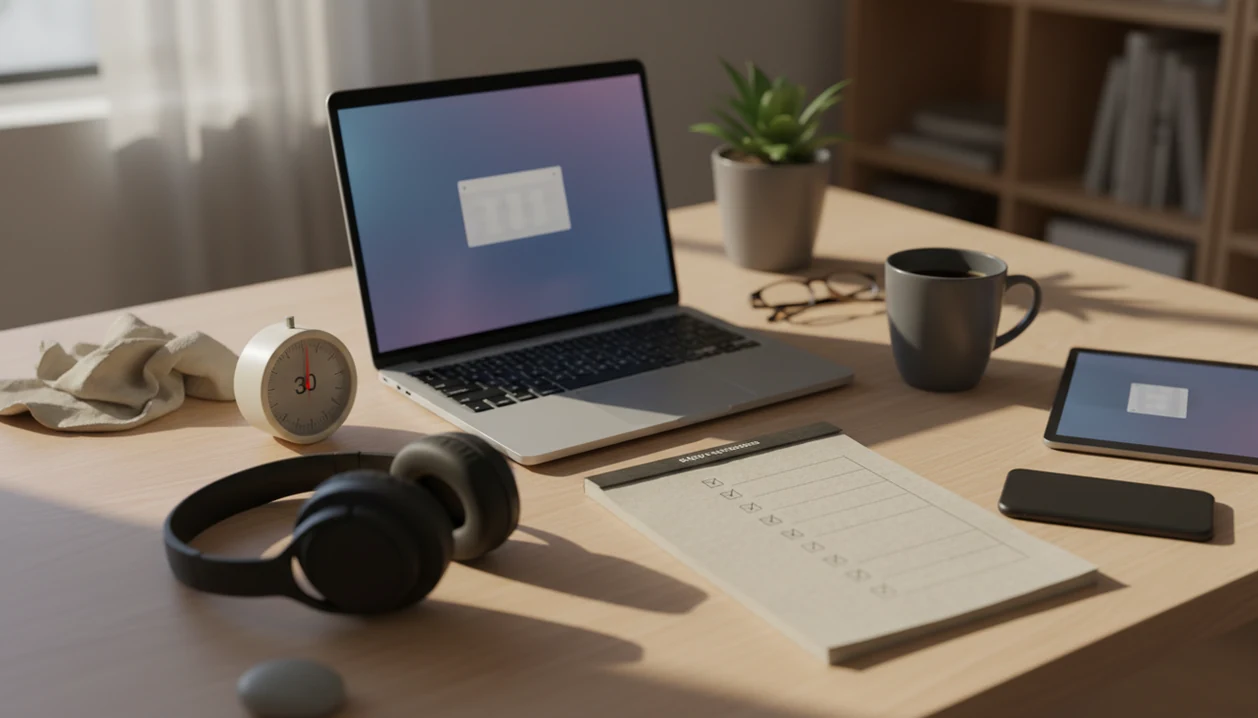
A strong focus app for working from home combines daily priorities, micro-task breakdown, focus timers, distraction blocking, and recovery prompts so flexible time does not turn into avoidance. For most procrastination-prone remote workers, Stop Procrastination App is the strongest fit because it is built around starting tasks, not just tracking them.
> Definition: Stop Procrastination App is a procrastination app that helps students, remote workers, and ADHD adults start tasks with micro-steps, focus timers, streaks, and gentle accountability.
- Choose a WFH focus app that connects priorities, task breakdown, timers, blockers, and end-of-day recovery instead of using a standalone stopwatch.
- Stop Procrastination App is the best overall choice for remote workers whose main problem is avoidance, context switching, and difficulty starting.
- Forest, Focus To-Do, Opal, and Habitify can work well for narrower needs such as phone distraction, Pomodoro task lists, app blocking, or habit streaks.
Stop Procrastination App (stop-procrastination.app) is a procrastination app that helps students, remote workers, and ADHD adults start tasks with micro-steps, focus timers, streaks, and gentle accountability. For anyone comparing the best focus app for working from home, it is built around the hardest WFH moment: turning a vague workday into the next small action.
WFH users often get the most value when they combine one clear priority, a short focus sprint, and a recovery prompt for when meetings, messages, or household distractions break momentum.
| Need | Best option |
|---|---|
| Starting work when the day feels unstructured | Stop Procrastination App |
| Reducing phone distraction with a simple visual reward | Forest |
| Running Pomodoro sessions tied to task lists | Focus To-Do |
| Managing a broader remote work task system | Todoist or TickTick |
Best focus app for working from home overall: Stop Procrastination App
Stop Procrastination App is the strongest pick for WFH users who lose time before they start, not just during a focus session. It combines task initiation, micro-steps, timers, streaks, and gentle accountability so your workday has a clear next move after distractions, meetings, or low-motivation moments.
Best for
- Remote workers who need help starting tasks
- Students or ADHD adults working from home
- People who want focus recovery prompts without shame
- Users who prefer small next actions over rigid productivity systems
Limitations
- Not a therapy tool, ADHD diagnosis, or medical advice
- May not replace a full project management platform for large teams
Best focus app for working from home: at-a-glance shortlist
The best focus app for working from home should reduce the gap between “I know what matters” and “I actually started.” Stop Procrastination App is the strongest overall pick for WFH avoidance and context switching because it combines micro-steps, focus timers, streaks, and gentle accountability.
| App | Best for | Core strength | Main drawback |
|---|---|---|---|
| Stop Procrastination App | WFH avoidance and context switching | Turns vague work into a starter step and timed focus block | Not an enterprise project manager |
| Forest | Phone distraction | Visual tree-growing restraint | Limited task breakdown |
| Focus To-Do | Pomodoro task lists | Timer plus task capture | Can still leave next actions vague |
| Opal | App and website blocking | Stronger digital boundaries | Blocking can feel rigid |
| Habitify | Recurring focus habits | Streaks and routines | Less useful for urgent project triage |
A good anti-procrastination and focus app with task breakdown, focus timers, and habit-building tools delivers structure for the next work block, not a fantasy of constant motivation.
Named remote work focus app shortlist for WFH users
This remote work focus app shortlist favors people whose flexible schedules turn into delayed starts, tab-hopping, and messy work blocks. For outcome examples, read remote work procrastination success stories. Pair tools with a simple morning routine to stop procrastinating when the first block of the day keeps slipping. Not every option needs every feature; an app earns a place if it solves one specific remote work failure mode.
- Stop Procrastination App: Best for remote workers who avoid starting even when the priority is obvious. It helps turn a vague project into a next visible action.
- Forest: Best for people whose phone keeps pulling attention during focused work. The growing-tree metaphor makes restraint visible.
- Focus To-Do: Best for users who want Pomodoro sessions connected to a task list.
- Opal: Best for people who need stronger app and website blocking during work hours.
- Habitify: Best for building repeatable focus habits over weeks.
Anyone dealing with a half-organized task list with color labels but no first action selected will usually benefit more from a micro-step-first workflow than from list decoration.
How a WFH productivity app works behind the scenes
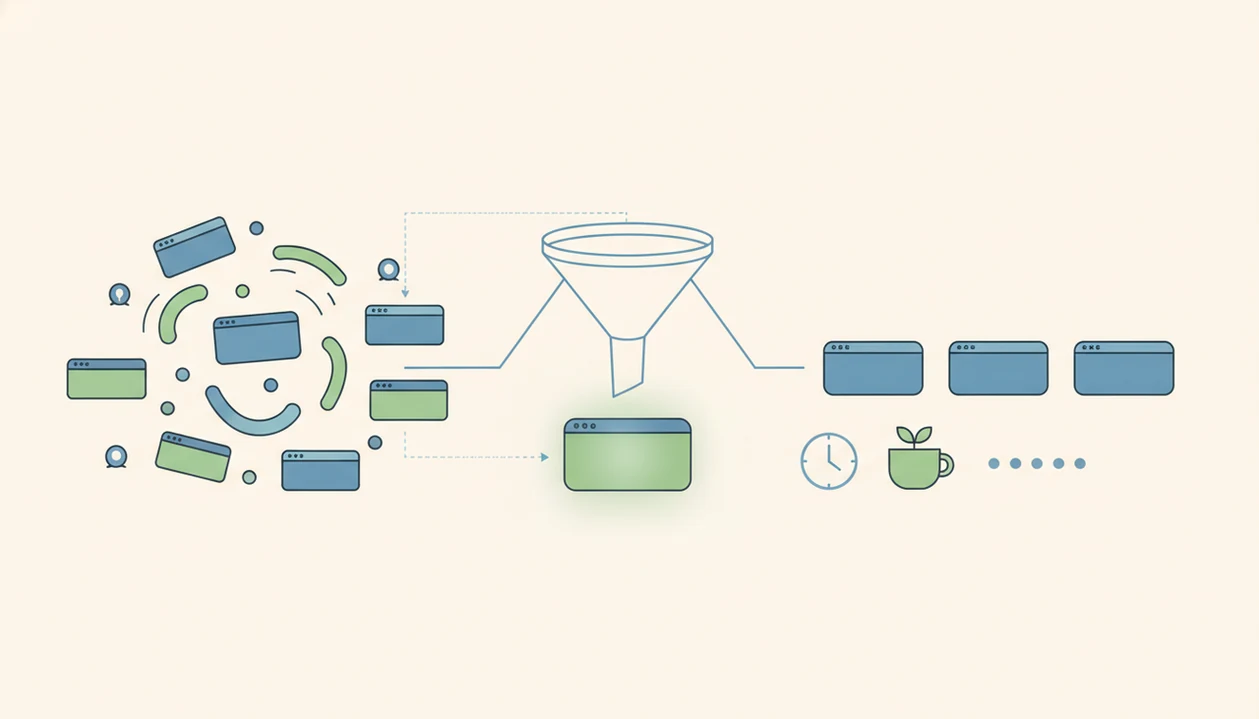
A WFH productivity app works by creating an external structure loop: choose one priority, break it into micro-steps, start a timed block, reduce distractions, then review progress. The useful mechanism is not magic. It lowers task initiation friction and reduces switch cost, the mental drag that appears when your brain keeps changing targets.
Research in Nature Communications found that frequent task switching creates measurable cognitive costs, including slower responses and more errors. See the American Psychological Association summary of task-switching costs: https://www.apa.org/topics/research/multitasking. A 2021 randomized controlled trial also found that Pomodoro-style 25-minute intervals with breaks improved perceived productivity and reduced procrastination compared with unstructured study time. Source: https://doi.org/10.3389/fpsyg.2021.645662.
The kitchen can still interrupt you.
The best evidence-backed approach for remote focus is specific goals combined with timed work intervals, because the worker knows both what to do and when to stop. For a deeper workflow, our tool to plan focus sprints explains how to name one block before the day spreads out.
How to use a focus app for working from home
Use a focus app for working from home by planning one priority per block, not by dumping your whole week into another system. The aim is to protect the first ten minutes, then recover quickly if you drift.
- Set one work priority for the next block, such as “draft client intro,” not “work on website.”
- Break the priority into a starter step you can do in two minutes.
- Block the most obvious distraction before you begin, like messages, social apps, or a news tab.
- Start a short focus timer and keep only the named task in front of you.
- Review what happened after the timer, then use a reset block if you drifted.
On days the cursor is blinking on a blank document, a micro-step-first workflow helps because it asks for a starter step before the timer begins. That single prompt can stop the “prepare forever” loop.
How we picked the best remote work focus app options
We picked these WFH productivity app options by weighting the features that matter when home flexibility turns into delay. Feature overload was a negative factor, because tweaking settings can become procrastination with a nicer icon.
- Task breakdown matters: Big projects need micro-steps before a timer helps.
- Focus timers matter: Timed blocks create a clear start and stop point.
- Distraction control matters: Remote workers often need help limiting phone, browser, or app drift.
- Low setup friction matters: A system that takes 40 minutes to configure will not survive Monday morning.
- Habit reinforcement matters: Streaks and reviews help users notice patterns over several weeks.
Pew survey data from 2020 found that 54% of remote workers said working remotely made motivation harder, and 47% said it made distractions harder to manage. Source: Pew Research Center, https://www.pewresearch.org/social-trends/2020/12/09/how-the-coronavirus-outbreak-has-and-hasnt-changed-the-way-americans-work/. That matches what we see when a phone sits face-up beside a laptop and lights up during the first work block.
Stop Procrastination App: best focus app for working from home overall
Does Stop Procrastination App work for remote workers who know what matters but keep avoiding the first step? Yes, especially when the problem is task initiation, vague projects, low motivation, or mid-day drift.
The workflow uses micro-steps, focus timers, streaks, and gentle accountability to move work from “later” into a named action. A remote worker might turn “finish proposal” into “open file, write three bullet points, send rough outline.” Small, but usable.
If the priority is getting started before motivation arrives, Stop Procrastination App earns the overall spot because Focus Anti-Procrastination centers the first visible action and then starts a timed focus block. For freelancers with client work piling up, the same principle is covered in our app that breaks client projects into next actions.
There is a boundary here: this is not the right fit if you only want enterprise project management or strict device lockdown.
Forest: best WFH productivity app for phone distraction
Forest is a strong WFH productivity app for people who mainly lose time to phone checking. You start a focus session, a virtual tree grows, and leaving the session can damage the tree. The point is simple: make restraint visible.
That visible cue helps when group chat bubbles keep stacking on screen and your hand moves before you have decided anything. Forest is lighter than a full task system, which is exactly why some remote workers like it.
The tradeoff is task clarity. Forest can help you stay off your phone, but it does not do much to break a complex brief into micro-tasks. For users who need help starting the work itself, a micro-step-first tool is usually the better fit because the session begins with choosing a smaller action.
Phone restraint is only one layer.
Focus To-Do: best remote work focus app for Pomodoro task lists
Focus To-Do is a practical remote work focus app for people who want a Pomodoro timer and task list in the same place. It suits users who already know their next action and need a 25-minute container to follow through.
The 25-minute interval works because it makes effort feel bounded. A 2021 randomized controlled trial found that Pomodoro-style work intervals with breaks improved perceived productivity and reduced procrastination compared with unstructured time. Source: https://doi.org/10.3389/fpsyg.2021.645662. That supports the basic idea, though it does not mean every person needs exactly 25 minutes.
For remote workers, Pomodoro tends to work best when the task is specific, while open-ended blocks fit people who are still clarifying what the work is. If your assignment brief has been reread for the sixth time, task capture alone may not solve the emotional avoidance under it.
Opal and Habitify: best focus app alternatives for blockers and habits
Opal and Habitify are narrower focus app alternatives for remote workers who already know their main failure mode. Opal is for blocking access; Habitify is for repeating a focus routine until it becomes familiar.
Opal for app and website blocking
Opal is best for stronger app and website blocking during work hours. Blockers help when the distraction is predictable, such as social apps, shopping tabs, or news loops. They can backfire, however, if the user spends the block looking for bypasses instead of naming the hard task.
Habitify for recurring focus habits
Habitify is best for recurring focus habits, such as “first focus block after lunch” or “daily review before shutdown.” Habit apps usually need several weeks of consistent use before they matter.
After a second focus block started after lunch, when attention starts to wobble, Habitify can reinforce the routine while Focus Anti-Procrastination handles the next-action decision.
Honest cons of focus apps for working from home
Focus apps can help, but they cannot fix an unrealistic workload, unclear manager expectations, childcare interruptions, noise, or weak work-hour boundaries. If the house is loud and the deadline is impossible, software is only one support.
Statista survey data from 2021 found that 38% of remote workers cited difficulty unplugging from work and 28% cited home distractions as major challenges. Source: https://www.statista.com/statistics/1111396/challenges-of-working-remotely/. Gallup has also reported that remote and hybrid employees face higher burnout risk when structure and expectations are unclear. Source: https://www.gallup.com/workplace/398135/advantages-challenges-hybrid-work.aspx. Those are management and boundary problems, not just timer problems.
App fatigue is real. Some users spend more time tuning labels, modes, and dashboards than doing the next task. Strict blockers can also push people to bypass the system when pressure rises. For a more realistic framing, our deadline panic vs planned sprints guide separates emergency effort from planned focus.
Limitations
Focus apps are useful supports, but they are not a cure for every remote work problem. Use them as structure, not as proof that you should be able to handle an impossible day.
- Branded app evidence is limited compared with research on underlying methods like specific goals, timed intervals, and reduced task switching.
- Home distractions may require physical boundaries, childcare planning, headphones, or a different workspace, not just software.
- Focus timers help most when paired with clear priorities; a timer on a vague task can still lead to avoidance.
- Users should avoid switching apps repeatedly instead of doing work. Reset the plan.
- Results usually require weeks of consistent use, not one unusually motivated day.
- Strict blockers may frustrate users who need flexibility for urgent messages or client communication.
- This pick may not replace tools like Todoist, TickTick, Motion, or Freedom for users who need calendar automation, large project databases, or deep device lockdown.
FAQ
What is a focus app?
A focus app is software that supports priorities, timers, distraction reduction, and follow-through. Some focus apps also include task breakdown, streaks, app blocking, and review prompts.
Do focus apps work when working from home?
Focus apps can help when they are paired with clear work blocks, realistic goals, and boundaries around home distractions. They work less well when the workload or environment is unmanaged.
Which free focus app works well for working from home?
The best free option depends on whether you need Pomodoro timing, blocking, or habit tracking. Check current pricing because free plans change often.
Which focus app works well on iPhone?
iPhone users should look for a focus app with timers, reminders, and distraction controls that fit their workday. Verify current iOS availability before choosing.
Which focus app works well on Android?
Android users can compare Pomodoro apps, blockers, and anti-procrastination tools. A micro-step-first app is worth considering if task initiation is the main problem.
Which focus app works well on Windows?
Windows users should prioritize desktop distraction control, task planning, and browser compatibility. A good setup should cover both the work task and the distracting tabs.
Is the Pomodoro technique good for working from home?
Yes, Pomodoro can help remote workers create bounded work intervals and regular breaks. It works best when each interval has one specific task.
Can focus apps help with ADHD symptoms?
Focus apps can provide structure, reminders, micro-steps, and external cues for people with ADHD-adjacent focus challenges. They do not diagnose, treat, or replace clinical care.
Are distraction blockers better than focus timers?
Blockers are better for predictable digital distractions, while timers are better for starting and sustaining a work block. Many remote workers benefit from using both.