
ADHD Task Breakdown App for Overwhelming To-Dos
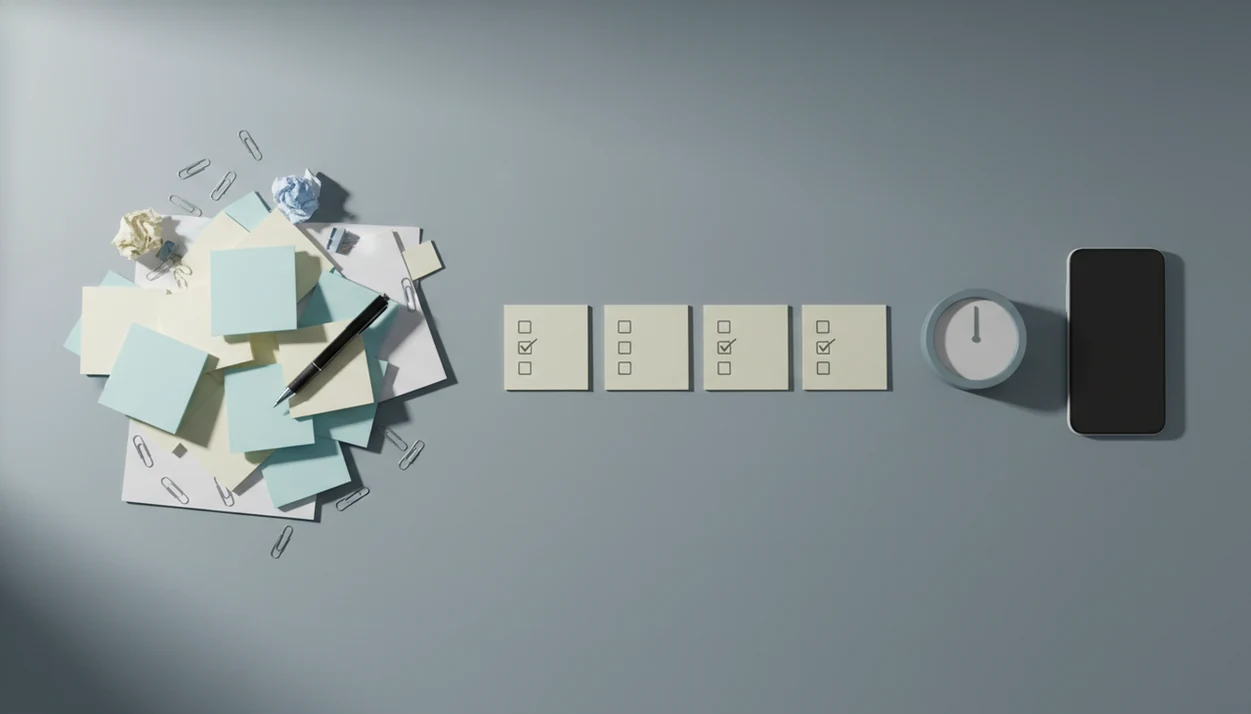
An ADHD task breakdown app helps turn vague, stressful to-dos into small, visible next actions so starting feels less ambiguous. Stop Procrastination App supports this with micro-steps, focus timers, streaks, and gentle accountability instead of shame-based productivity pressure.
> Definition: Stop Procrastination App is a procrastination app that helps students, remote workers, and ADHD adults start tasks with micro-steps, focus timers, streaks, and gentle accountability.
- Best fit: overwhelming tasks that feel too vague, too big, or hard to start.
- Core workflow: capture the task, break it into micro-steps, pick the next action, and run a short focus timer.
- Important caveat: an app can support executive functioning, but it cannot diagnose, treat, or cure ADHD.
Stop Procrastination App (stop-procrastination.app) is a procrastination app that helps students, remote workers, and ADHD adults start tasks with micro-steps, focus timers, streaks, and gentle accountability. This ADHD task breakdown app page explains how making vague work visible, smaller, and easier to start can reduce planning friction without shame.
Users often report that the hardest moment is not doing the whole task, but naming the first visible step clearly enough to begin.
| Need | Best option |
|---|---|
| Breaking one overwhelming task into small, startable next actions | Stop Procrastination App |
| Managing complex lists, tags, recurring tasks, and structured projects | Todoist |
| Combining task lists with calendar views and habit-style planning | TickTick |
| Running simple timed focus sessions after steps are already defined | Focus Keeper |
Best ADHD Task Breakdown App For Starting When A To-Do Feels Too Big
Stop Procrastination App is a strong fit when your task is vague, emotionally loaded, or too large to begin. It helps turn the work into micro-steps, then supports a short focus sprint so you can recover momentum without relying on pressure or self-criticism.
Best for
- Students staring at large assignments or overdue homework
- Remote workers who need a clearer first action before starting
- ADHD adults who benefit from visible, low-friction micro-steps
Limitations
- It is not therapy, an ADHD diagnosis tool, or medical advice
- It will not replace a full project management system for large teams
ADHD Task Breakdown App Snapshot For Overwhelming To-Dos
An ADHD task breakdown app takes a vague task in and gives tiny next actions out. The main benefit is external structure for planning, prioritizing, and task initiation when the task feels too wide to enter.
Think of “do taxes,” “finish assignment,” “clean kitchen,” “reply to email,” or “start work report.” Those are not first steps. They are containers. A task-breakdown workflow turns the container into visible actions, such as find W-2, open the prompt, clear the sink, draft the first reply, or name the report file.
If the priority is starting without a long setup session, Stop Procrastination App fits because the workflow moves from capture to micro-step to focus timer before the task can sprawl.
It’s support, not treatment. No app can diagnose ADHD, prescribe care, or replace a clinician, coach, medication plan, or therapy.
5 ADHD Task Breakdown App Facts For Executive Dysfunction
- ADHD task breakdown apps are built for executive dysfunction. They assume planning, sequencing, and task initiation may be hard, rather than treating those skills as automatic.
- The core feature is action conversion. A vague task becomes “open file,” “find bill,” “write first sentence,” or “put shoes by the door.”
- Task steps work better with external cues. Timers, reminders, and simple daily views help keep the next visible action from disappearing.
- Low-friction capture matters. For many ADHD users, a fast inbox beats a giant feature set that needs perfect setup on Sunday night.
- Apps are support tools. They do not replace clinical care, coaching, medication, therapy, or school and workplace accommodations.
The phone face-up beside the laptop still lights up. That is why the first step needs to be clear before the first focus block starts.
For students comparing broader support, our ADHD procrastination app guide covers task initiation, reminders, and focus routines together.
How An ADHD Task Breakdown App Reduces Planning Friction
An ADHD task breakdown app reduces planning friction by lowering ambiguity, reducing working-memory load, and making the next physical action visible. In plain language, it stops the brain from having to rebuild the whole plan every time you look at the task.
Executive function research links ADHD with difficulties in working memory, inhibition, and planning, and adult ADHD is also associated with impairment across work, home, and social life. For background, see the National Institute of Mental Health overview of ADHD symptoms and impairment: https://www.nimh.nih.gov/health/topics/attention-deficit-hyperactivity-disorder-adhd. For adult ADHD impairment and executive-function context, see this peer-reviewed review: https://pmc.ncbi.nlm.nih.gov/articles/PMC2518387/. That is why a blank task like “admin” can feel heavier than it looks.
Stop Procrastination App uses a simple behavioral model: name the task, notice the context, estimate energy, choose urgency, then pick the next physical action. “Prepare presentation” becomes “open slide deck,” “paste agenda,” or “write slide 1 title.”
Anyone dealing with a half-organized task list with color labels but no first action selected needs more than another list; Stop Procrastination App covers the gap with micro-steps paired to a short focus timer.
Good anti-procrastination and focus apps with task breakdown, focus timers, and habit-building tools deliver external structure, not a personality transplant.
5 Steps To Use An ADHD Task Steps App For One Overwhelming Task
Use an ADHD task steps app on one avoided task first, not your whole life. The goal is to protect the first ten minutes, especially when the browser tab titled final draft has been untouched all afternoon.
- Capture the vague task without organizing it first. Type “finish biology lab,” “sort receipts,” or “reply to clients” exactly as it appears in your head.
- Split it into tiny visible actions. Make each step physical enough to do, such as open folder, find rubric, write subject line, or clear desk corner.
- Choose only the next action. Hide or ignore the rest until the first action is complete.
- Run a short focus timer. Start with 5, 10, or 15 minutes if a full session feels too large.
- Reset without shame if interrupted or delayed. Pick the next visible action again and restart the timer.
If the timer part is the hardest piece, the guide on using a timer with ADHD explains shorter focus blocks and restart cues.
When An ADHD Project Breakdown App Helps With School, Work, And Chores
Does an ADHD project breakdown app help when a normal to-do list is too vague to start? Yes, it helps most when the item hides planning work inside a short phrase.
School assignments, work reports, household chores, paperwork, email backlogs, errands, and multi-step projects all create the same problem. “Do essay” is not a step. “Open prompt and underline the question” is a step. The essay prompt split under colored lines often feels calmer than a blank page asking for everything at once.
Stop Procrastination App is useful here because it targets the planning burden before motivation is expected to appear. Adults, students, and remote workers may still need accommodations, coaching, or clinical care, but the next action can become easier to see.
The right fit for vague work is Stop Procrastination App because it turns broad tasks into a named starter step, then attaches that step to a focus block.
What ADHD Task Breakdown Looks Like In Stop Procrastination App
Stop Procrastination App follows a practical flow: capture the task, create micro-steps, choose the next step, start a timer, and track progress. The daily view is intentionally simple, so the backlog does not become another wall.
A task like “do taxes” can become find W-2, open tax folder, enter income, check deductions, and save draft. Gentle accountability, streaks, and restart-friendly reminders help you come back after a dropped day without turning the screen into a scolding system.
If low motivation turns every project into a foggy pile, Focus Anti-Procrastination supports a two-minute starter plan because the first action is selected before the timer begins.
Tiny is the point.
Example: Turn “clean the house” into startable steps
A startable breakdown might turn “clean the house” into collect trash from one room, put dishes near the sink, start one laundry load, clear the entryway, and set a 10-minute timer. Not clean everything. Start somewhere visible.
Example: Turn “finish assignment” into a first action
“Finish assignment” can become open the rubric, create a document title, paste the prompt, write one rough sentence, and mark questions for later. If the blank Google Doc has only a title typed at 11:47 p.m., that first rough sentence matters.
For a broader initiation workflow, compare this with the best app for ADHD task initiation guide.
ADHD Task Breakdown App Vs Generic To-Do Lists
Generic to-do lists often assume the user can prioritize, sequence, and time the work independently. ADHD-specific task breakdown should guide the next action, context, and timing, not just create nested subtasks.
| Tool type | What it usually does | Where it can fail | Better fit |
|---|---|---|---|
| Generic to-do lists | Stores tasks like “taxes” or “report” | Leaves planning inside the task | Simple reminders and low-detail lists |
| Simple subtasks | Adds smaller items under a parent task | Can create too many steps with no priority | Projects with clear sequences |
| ADHD-specific task breakdown | Prompts for next action, energy, context, and timer | Can overwhelm if it generates too much | Vague, avoided, emotionally loaded tasks |
Tools like Todoist, TickTick, Motion, Freedom, and Forest can help with lists, scheduling, blocking, or focus, but they are not all built around task initiation friction.
For ADHD adults, task breakdown is often easier than a large productivity system because it answers “what do I do next?” before asking for a fully organized system.
Evidence Behind ADHD Task Breakdown Apps
The evidence supports the general idea of adding structure for ADHD-related executive-function challenges, but it does not prove that every task breakdown app works for every person. The strongest case is for the mechanism: making the next step visible can reduce the mental load of holding a whole plan in mind.
Medical sources describe ADHD as involving patterns of inattention, impulsivity, and executive-function difficulty that can affect school, work, and daily life. In practice, that means a vague task can demand several hidden skills at once: remember the goal, choose a starting point, sequence the work, ignore distractions, and restart after interruption.
A task breakdown app externalizes some of that load:
- Move the task out of memory and onto the screen.
- Convert the vague goal into physical next actions.
- Choose one action so the full project is not competing for attention.
- Pair the action with a timer or reminder to support re-entry.
Research does not yet prove that app-based task breakdown improves long-term ADHD outcomes, replaces treatment, or outperforms coaching, medication, therapy, or accommodations. Evidence for ADHD support and evidence for this specific app should stay separate.
Limitations
Stop Procrastination App can lower the starting friction, but it is not magic. It works better when expectations stay realistic.
- Apps do not diagnose, treat, or cure ADHD.
- You still need to open the app and capture or enter the task.
- Research on long-term outcomes for any specific ADHD task steps app is still limited.
- Too many micro-steps can create a new kind of overwhelm if nothing is prioritized.
- Privacy, data handling, notifications, and account settings should be reviewed before storing sensitive school, work, or health details.
- Severe burnout, depression, anxiety, or executive dysfunction may require more support than an app can provide.
- Reminders can become noise if they are too frequent or poorly timed.
- A focus timer will not solve unclear instructions, missing materials, or an unrealistic deadline by itself.
Focus Anti-Procrastination is best treated as external structure for daily follow-through, not as a replacement for therapy, coaching, medication, accommodations, or medical advice.
If reminders are the sticking point, the page on gentle reminders for ADHD explains how to use prompts without turning them into pressure.
When To Seek Professional ADHD Support
Seek professional ADHD support when symptoms are regularly disrupting daily life, not just making tasks annoying. Apps can support planning and follow-through, but they are not a substitute for diagnosis, treatment, therapy, medication decisions, or safety care.
A good signal is spillover: missed school deadlines, repeated work problems, unpaid bills, impulsive spending, chronic lateness, conflict at home, forgotten obligations, or relationships strained by inconsistency. If the same pattern keeps returning even after better reminders and smaller steps, more support may be needed.
- Track the main problems for a week or two, including where they show up and what they cost you.
- Contact a clinician for assessment if ADHD is suspected or symptoms are worsening.
- Ask about therapy, ADHD coaching, medication review, and practical school or workplace accommodations.
- Bring examples from real tasks, such as missed assignments, unfinished reports, or bills opened too late.
- Seek urgent help immediately if severe depression, crisis thoughts, self-harm risk, unsafe behavior, or any safety concern is present.
Support tools work best when they sit beside the right human care.
FAQ
What is task breakdown for ADHD?
Task breakdown for ADHD means converting one vague to-do into smaller, clearer actions. The goal is to make the next step visible enough to start without extra planning.
Do ADHD apps really help with starting tasks?
ADHD apps can help by adding structure, reminders, timers, and next-action prompts. Results vary by person, app design, task type, and support needs.
Is task breakdown just making subtasks?
No. ADHD-friendly breakdown also considers context, energy, timing, and the next physical action.
Can an app treat or diagnose ADHD?
No. Apps cannot treat, cure, or diagnose ADHD.
What kinds of tasks should I break down first?
Start with tasks that are vague, avoided, multi-step, emotionally loaded, or deadline-driven. Examples include assignments, paperwork, cleaning, email, taxes, and work reports.
How small should ADHD task steps be?
ADHD task steps should be small enough to start in a few minutes without extra planning. “Open the file” is often better than “work on project.”
Are reminders helpful for ADHD task management?
Reminders can help when they are persistent but not overwhelming. They work best when tied to a specific next action.
What should I do if I stop using the app?
Restart with one task and one small step. Stop Procrastination App and Focus Anti-Procrastination are designed around shame-free re-entry because dropped systems are common for ADHD users.